
How do I transfer my ticket(s)?
Ticket Transfer is available to Season Ticket holders, as well as supporters with the Women’s 6-Game Bundle or Women’s Match-by-Match tickets.
Please see below how to transfer a ticket using the Arsenal App (recommended)
If you are using the Ticket Hub on a PC or Laptop, navigate to the Hub and to the ticket you wish to transfer:
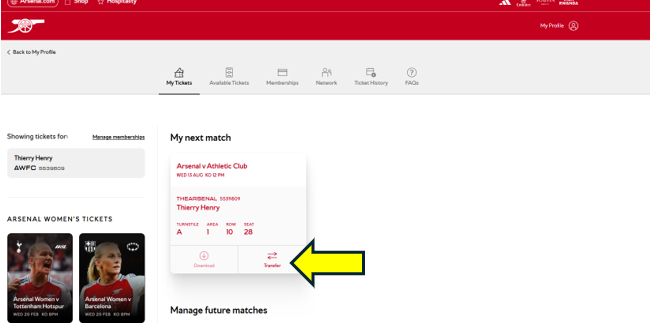
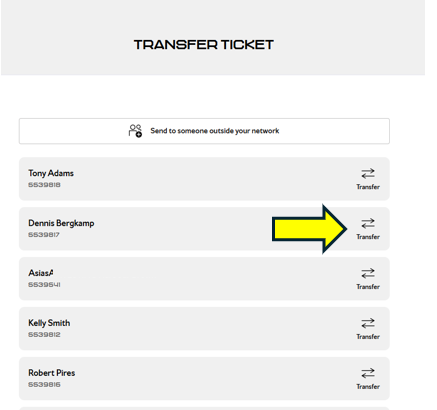
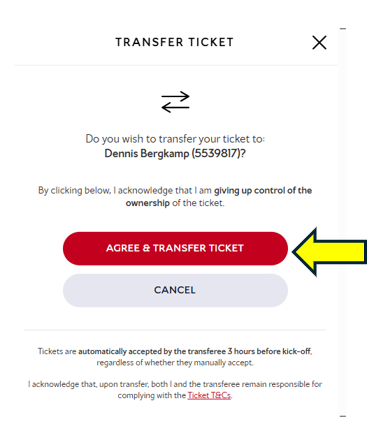
Select the member you wish to transfer your tickets to
How do I Accept a ticket(s)?
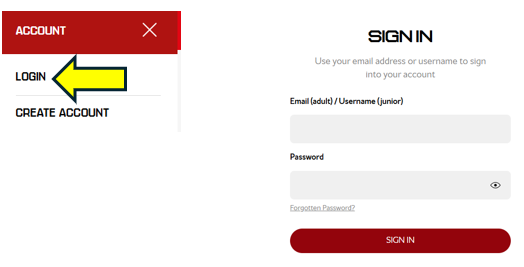
Please visit Arsenal.com and click on the head & shoulders icon in the right hand corner of the page
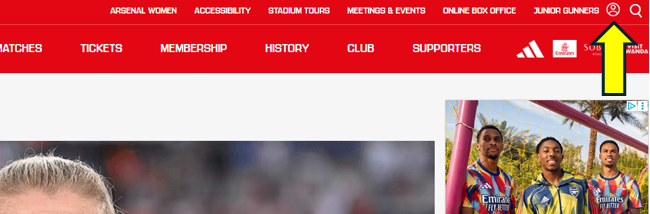
Click login and then type in your email address and password, Be sure to login with the email address associated to your membership account
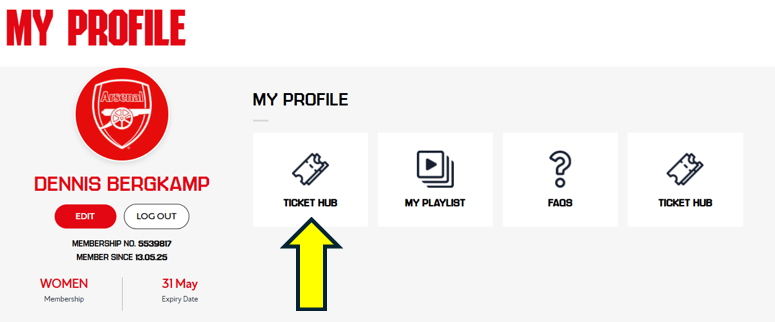
Click on the Ticket Hub icon
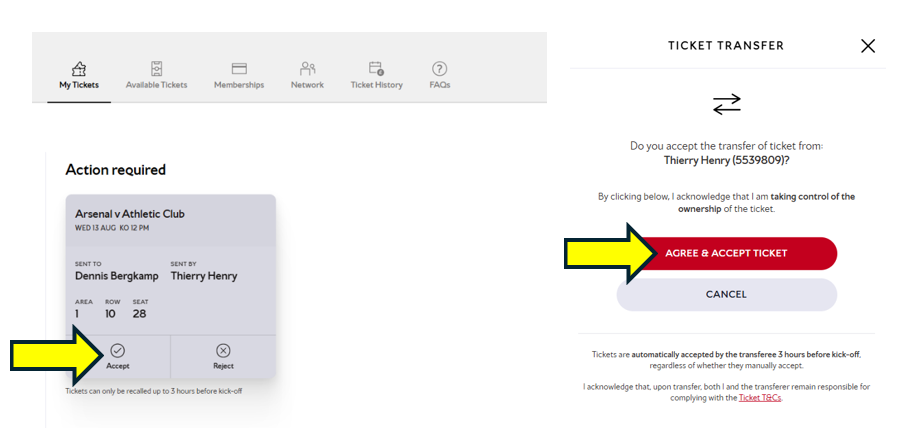
How do I download a ticket that has been transferred to me?
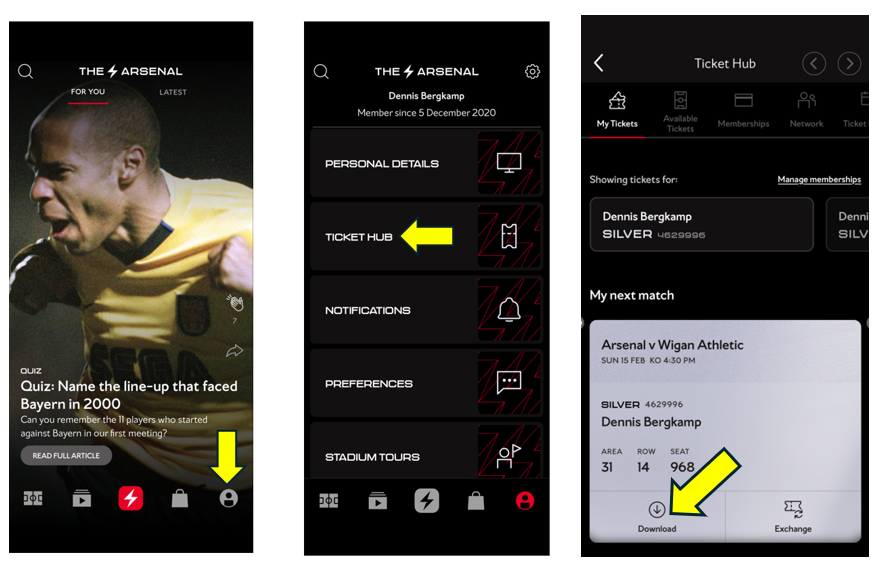
Once accepted tickets can then be downloaded directly into your wallet on your smartphone via the App.
See below to learn how to download your tickets using the Arsenal app.
Returning a transferred ticket
If you have already accepted a ticket but are now unable to attend, you can return it to the original ticket holder.
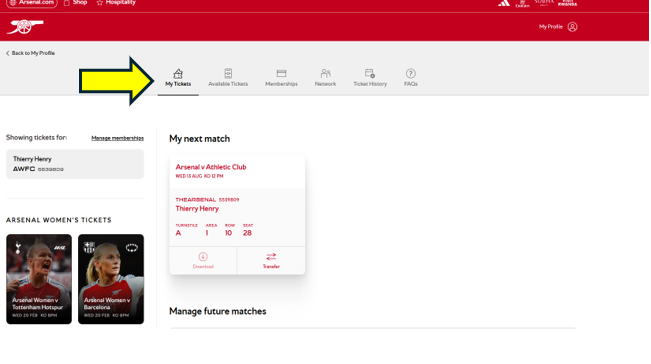
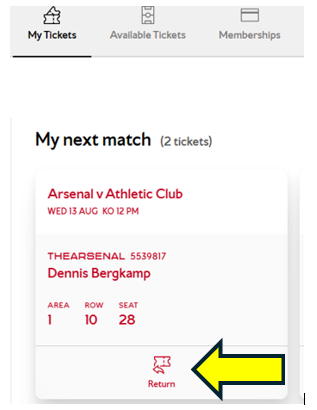
You can only return the ticket to the original holder. You won’t be able to transfer it and only the original ticket holder can do so.
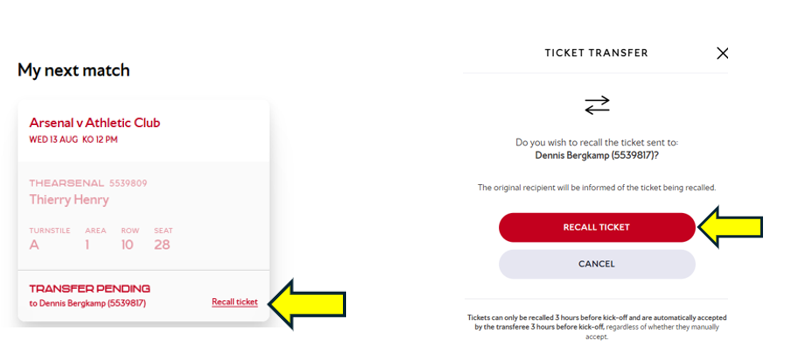
Recall a transferred ticket
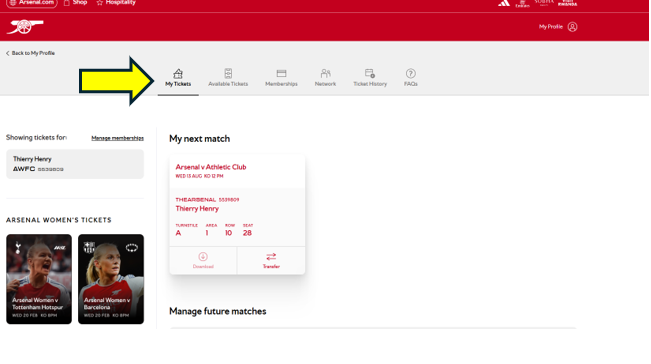
You may recall the ticket provided it has not yet been accepted.
What happens if I miss the deadline to accept the ticket?
If a transferred ticket has not been accepted before the 3-hour cut-off before kick-off, the system will automatically accept the ticket on behalf of the recipient. This ensures the seat is still used and remains active for entry into the stadium.
My Ticket has been returned to me, why can't I see it?
If you transferred your ticket and it was accepted, then returned to you, please allow up to 24 hours for it to show in your account again.
Once it's back, you’ll be able to download it or transfer it again.
It may take until the next working day depending on timing.
If returned on the last working day before matchday, it will appear no later than 3 hours before kick-off.
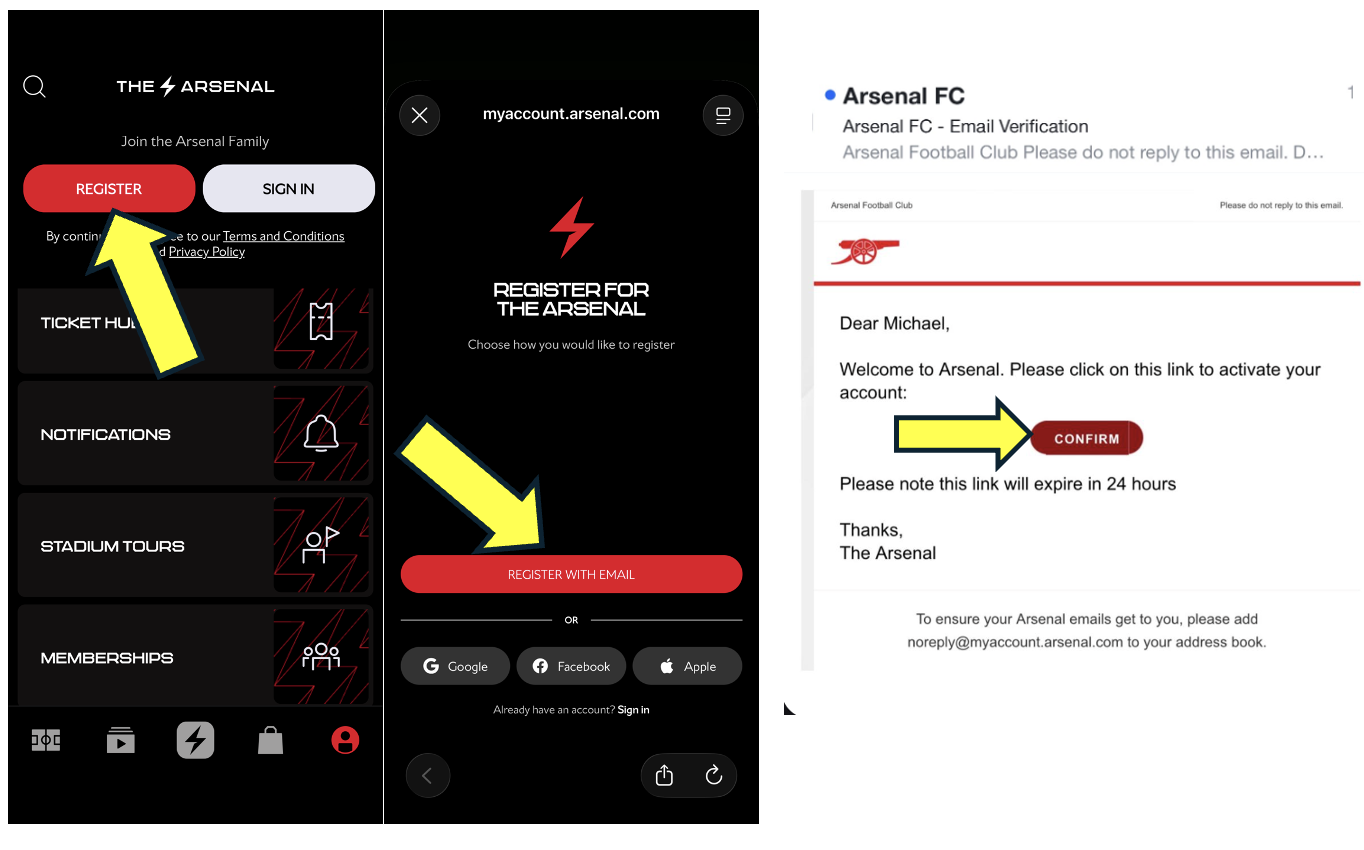
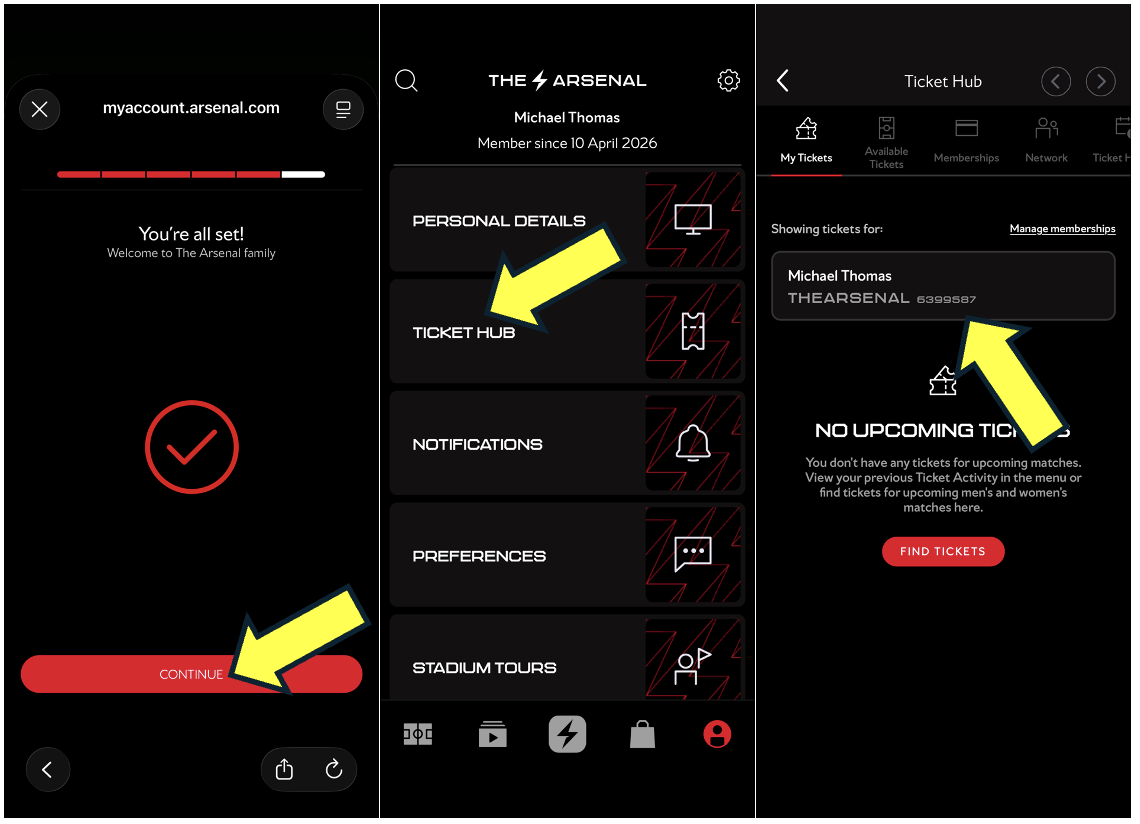
How do I create an account to receive a Ticket Transfer?
To receive a ticket transfer, you must first create a free account with us.
You will need to register your email address, and once it has been verified, a 7-digit membership number will be generated for you. You can then provide this number to the supporter who is transferring the ticket.
Please follow the steps below to create your account and find your 7-digit membership number.
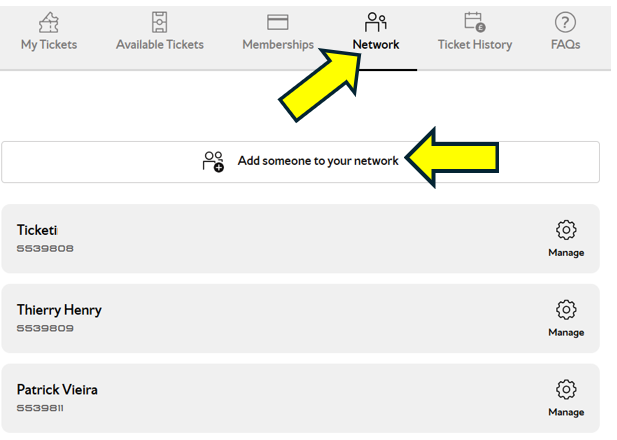
I want to transfer my ticket to a Non Member
Click on Network and then select Add Someone to Your Network. From there, you can either add an existing member or invite a new one.
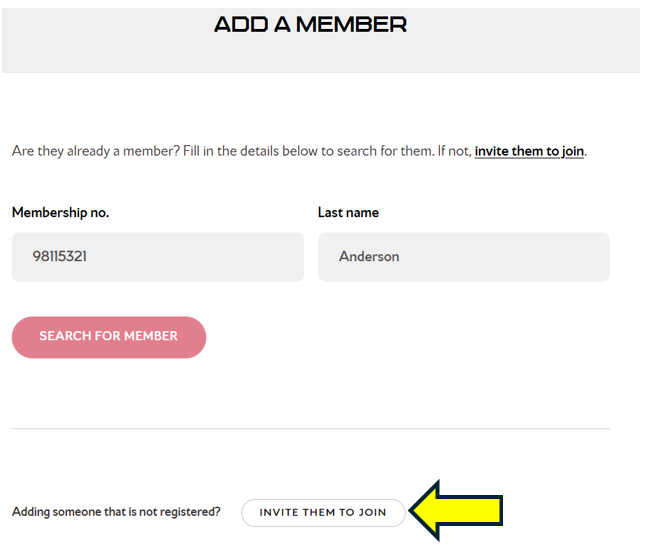
You must complete the details of the supporter to whom you wish to transfer your tickets.
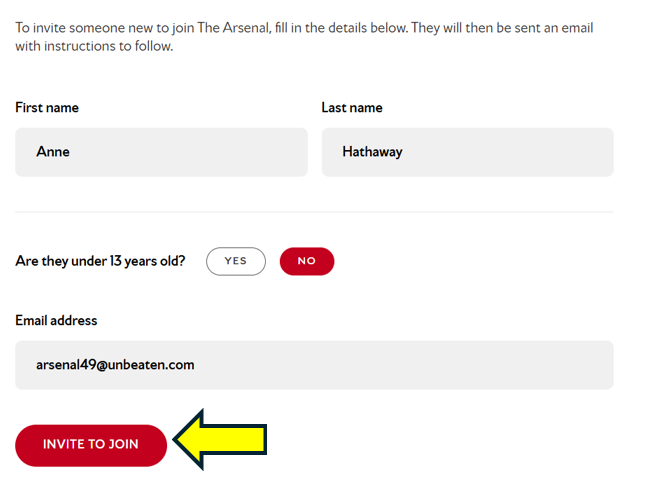
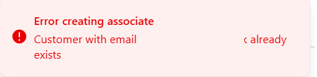
If you receive the message that an account already exists, reset the password and then add the account to your network using the membership number.
When can I transfer my ticket
Season Ticket Holders can use the Ticket Exchange or Ticket Transfer features after the Silver Ballot has been conducted for the specific match. Ballot dates are listed here.
Women’s Season Ticket holders , 6-Game Bundle or Women’s Match-by-Match tickets, your dates to use this service may vary so please keep an eye on the ticketing page for further updates.
Who is eligible to use Ticket Transfer?
Ticket Transfer is available to Season Ticket holders, as well as supporters with the Women’s 6-Game Bundle or Women’s Match-by-Match tickets.
Will I receive a PDF?
No. Tickets will be issued as NFC digital tickets, available for download through the Arsenal app. Near-field communication (NFC) is a short-range wireless technology that makes your smartphone, payment cards, and other devices even smarter. NFC is the technology that powers Apple and Google Pay so if you have used your smartphone to pay in a shop or to scan into the tube, then you have already used NFC technology. .