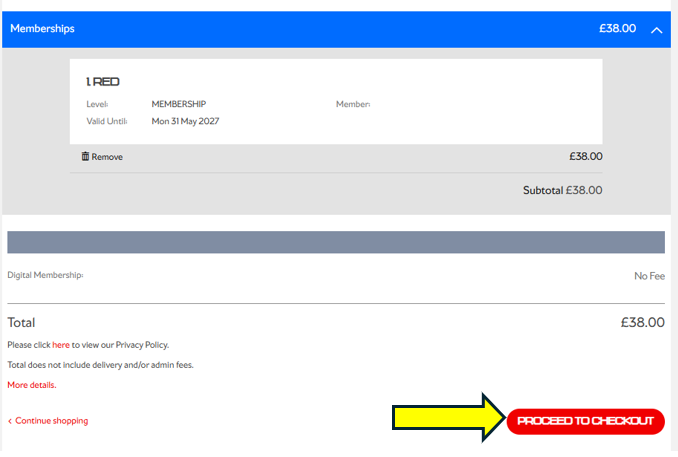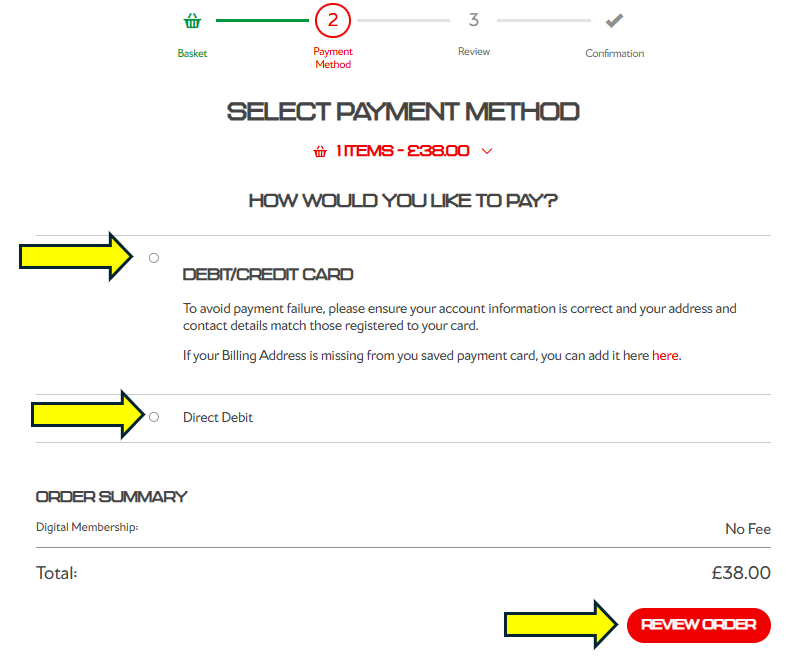
Membership renewal payments have now been completed. If we were unable to take your payment, please don’t worry.
You will now be able to login to your account, where you’ll have the option to renew your membership online.
Please follow the steps below on how to renew online.
Step 1: Visit the Arsenal Ticketing Website
Go to: www.eticketing.co.uk/arsenal
Once the website loads, click the Log In button located in the top-right corner of the screen.

Step 2: Log In to Your Account
Enter your:
- Email address
- Password
If you are having any issues logging in then you can reset your password here.
Step 3: Select “Renew Now”
It is very important you click on Renew Now
After logging in, click the Log In button located in the top-right corner of the screen and you will see notifications on your account homepage.
Click Renew Now under the notification section.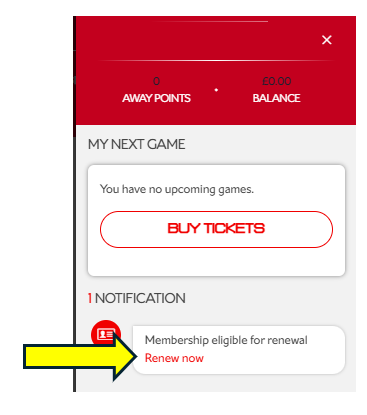
Step 4: Review Your Details
Carefully check that all personal and ticket information is correct.
Once confirmed, click Add to Basket.
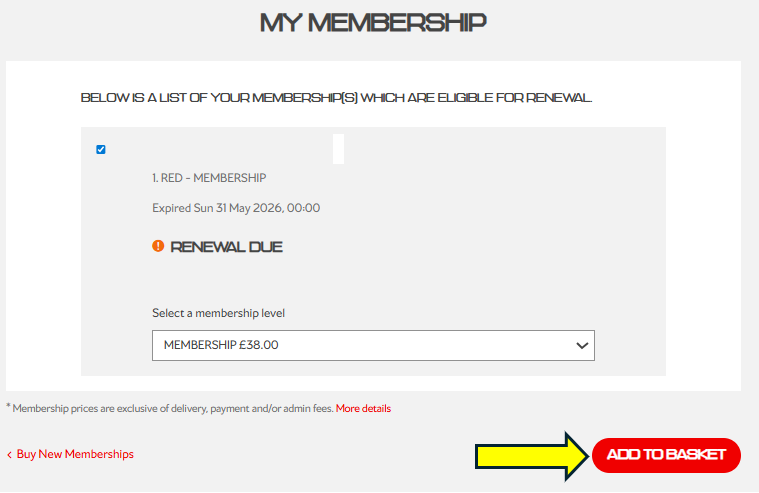
Step 4.1: Review Your Details