Step 1: Visit the Arsenal Ticketing Website
Go to: www.eticketing.co.uk/arsenal
Once the website loads, click the Log In button located in the top-right corner of the screen.
Step 2: Log In to Your Account
Enter your:
- Email address
- Password
If you are having any issues logging in then you can reset your password here.
Step 3: Select “Renew Now”
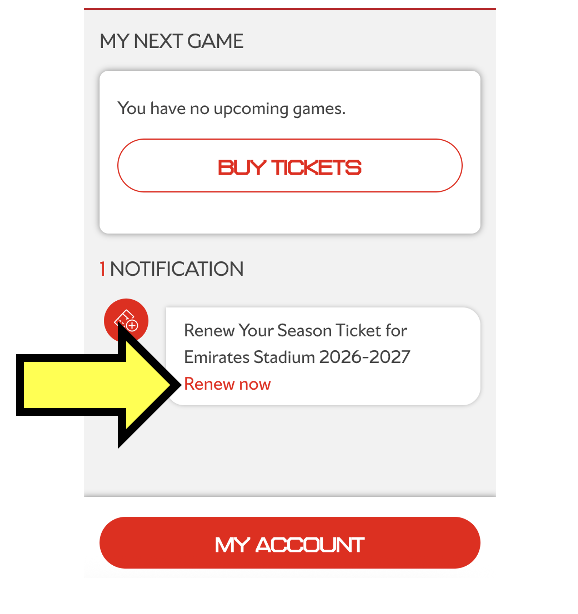
After logging in, click the Log In button located in the top-right corner of the screen and you will see notifications on your account homepage.
Click Renew Now under the notification section.
Step 4: Review Your Details
Carefully check that all personal and ticket information is correct.
Once confirmed, click Add to Basket.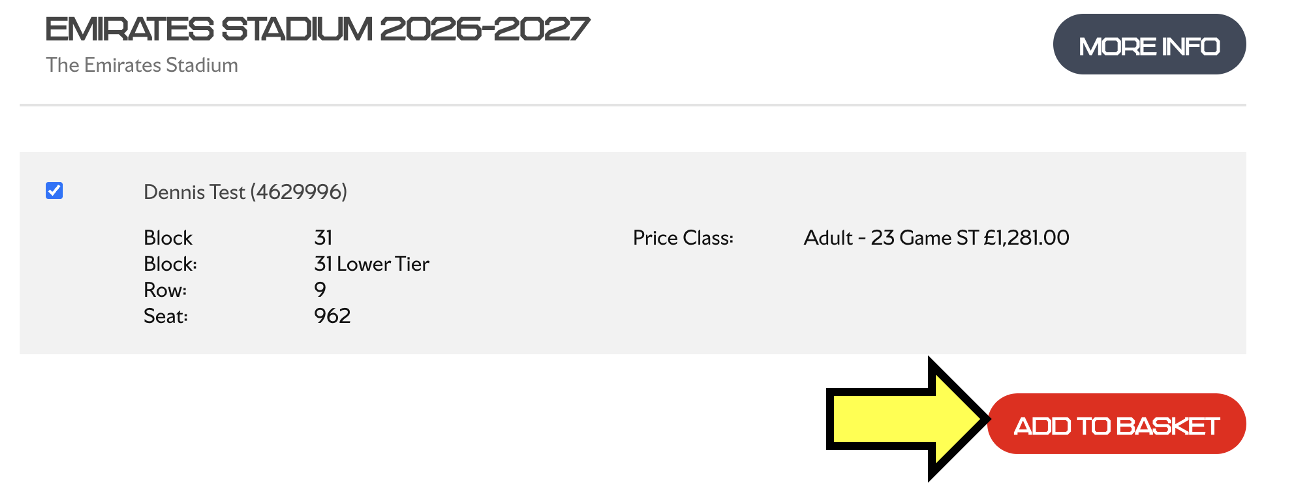
Step 5: Choose Your Season Ticket Package
You will now be given the option to select your preferred season ticket package:
- 23-game package
- 19-game package
Select your preferred option and continue.
At this stage, any funds available in your account will appear here and will be automatically deducted from your renewal fee at the checkout page.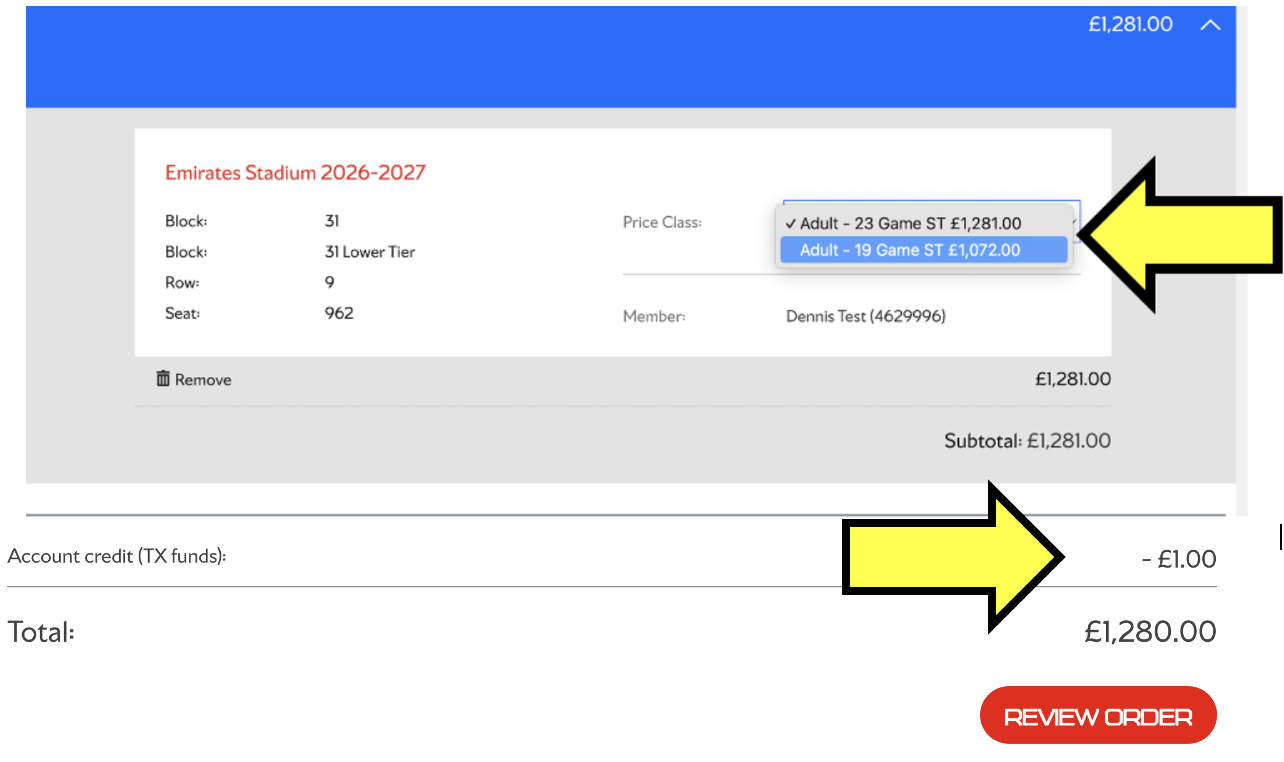
Step 6: Select Cup Scheme Preferences
Choose whether you would like to opt into the Cup Scheme.
You will also need to select which cup competitions you would like to be automatically charged for.
Review your selections carefully before proceeding.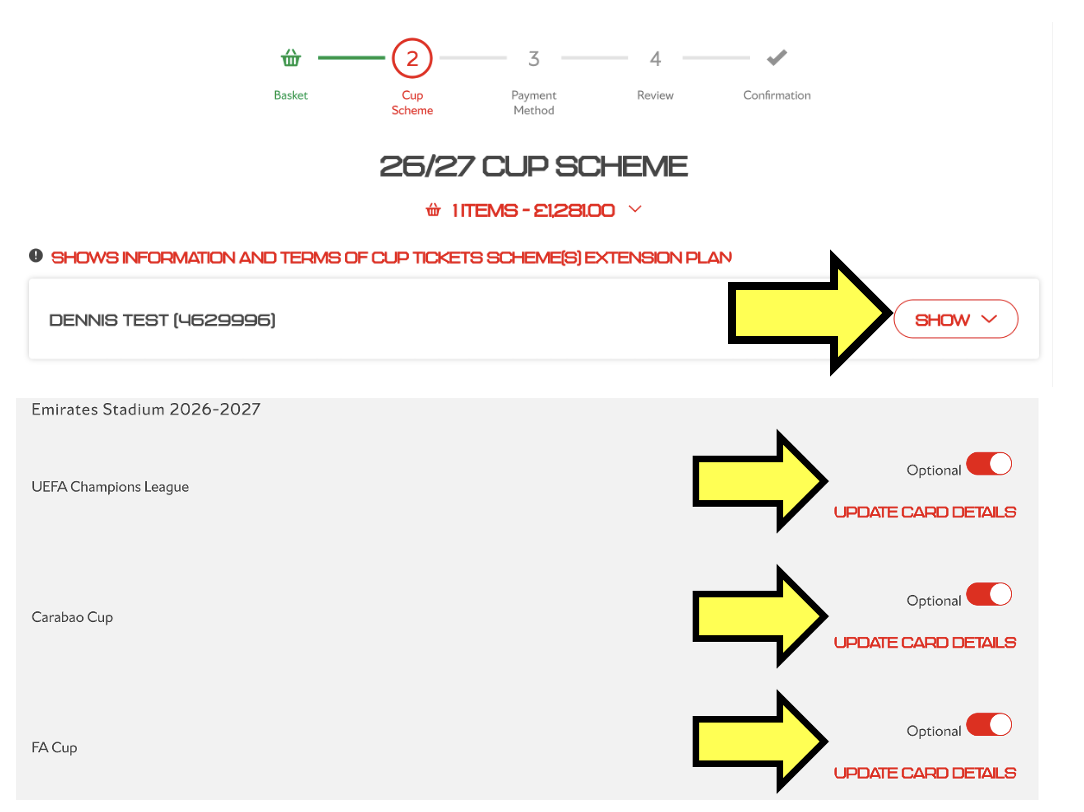
Step 7: Choose Your Payment Method
Apply for Finance
Apply for a finance plan to spread the cost of your season ticket through monthly payments.
Follow the on-screen instructions for your chosen payment option.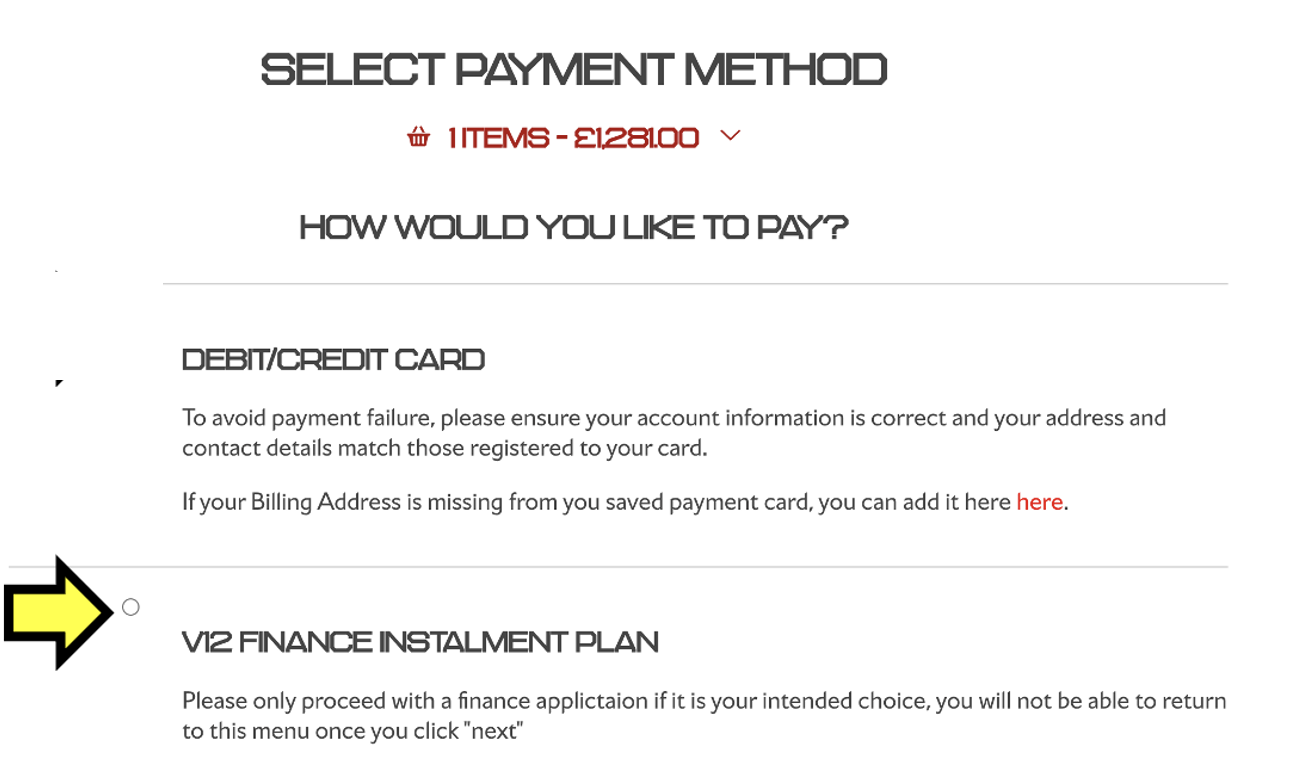
Step 8: Pay with Finance
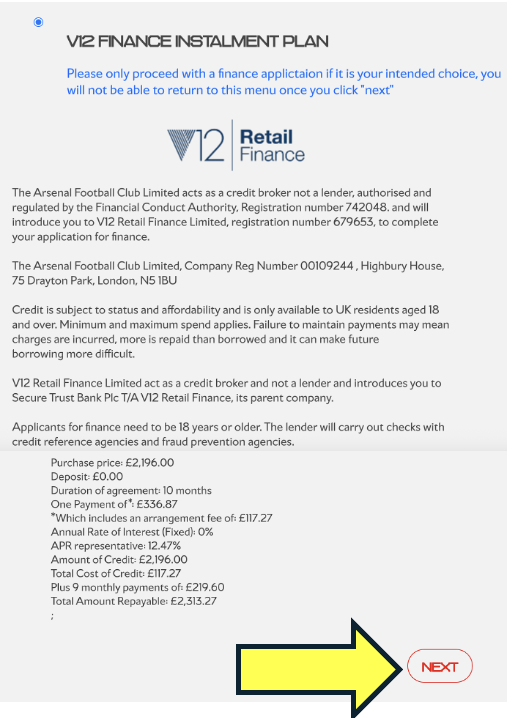
Step 8.1: Select 10 or 6 Month Instalment Plan
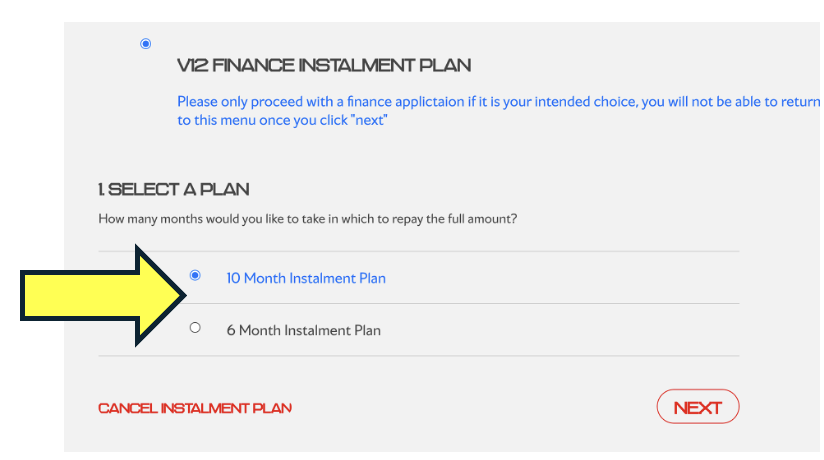
Step 8.1: Select 10 or 6 Month Instalment Plan
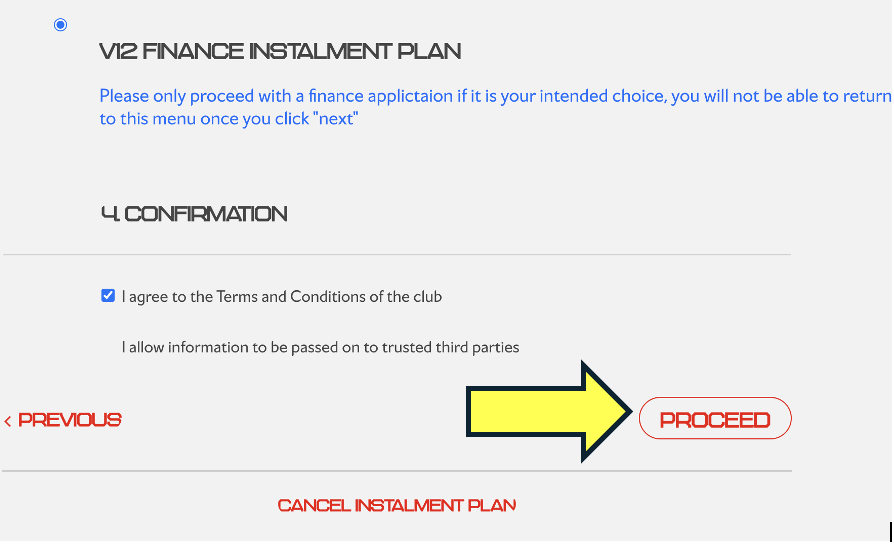
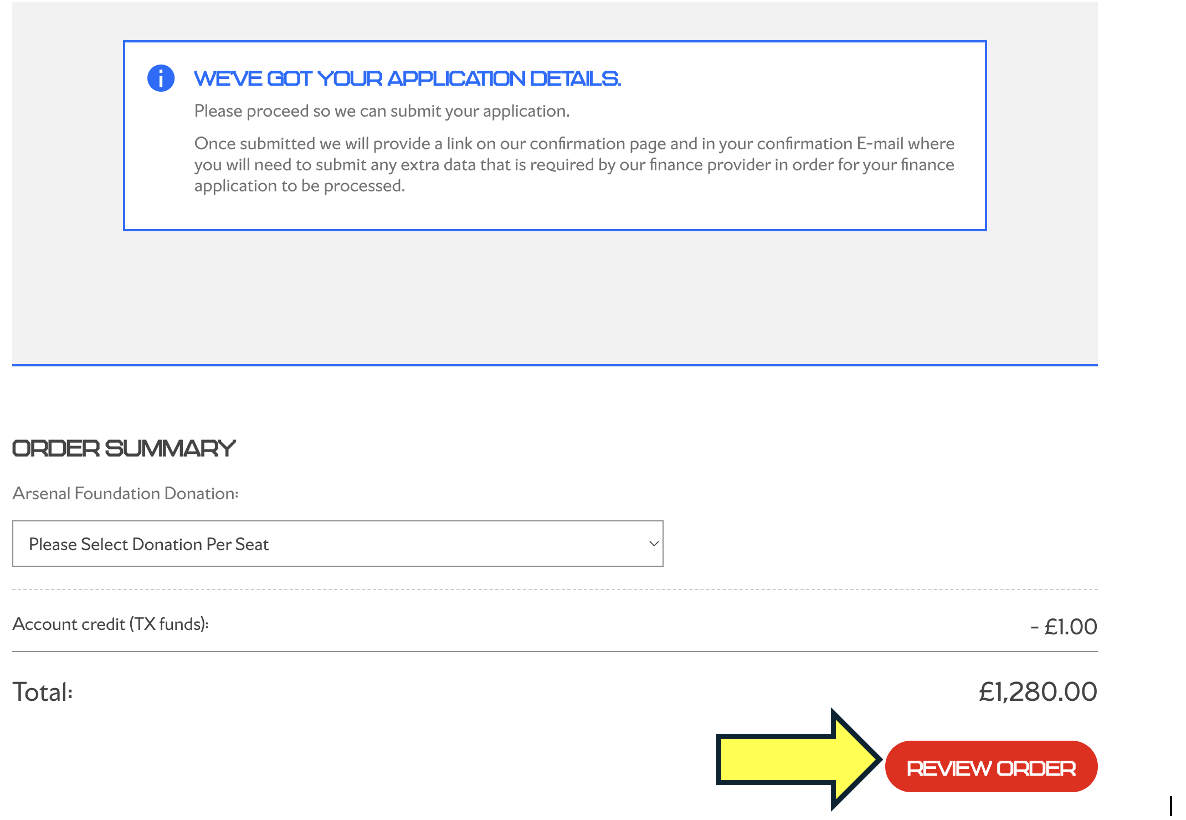
Step 10: Complete Purchase
You will now be presented with a final review page.
Carefully check:
- Your season ticket package
- Personal details
If you are satisfied with the review, click Complete Purchase.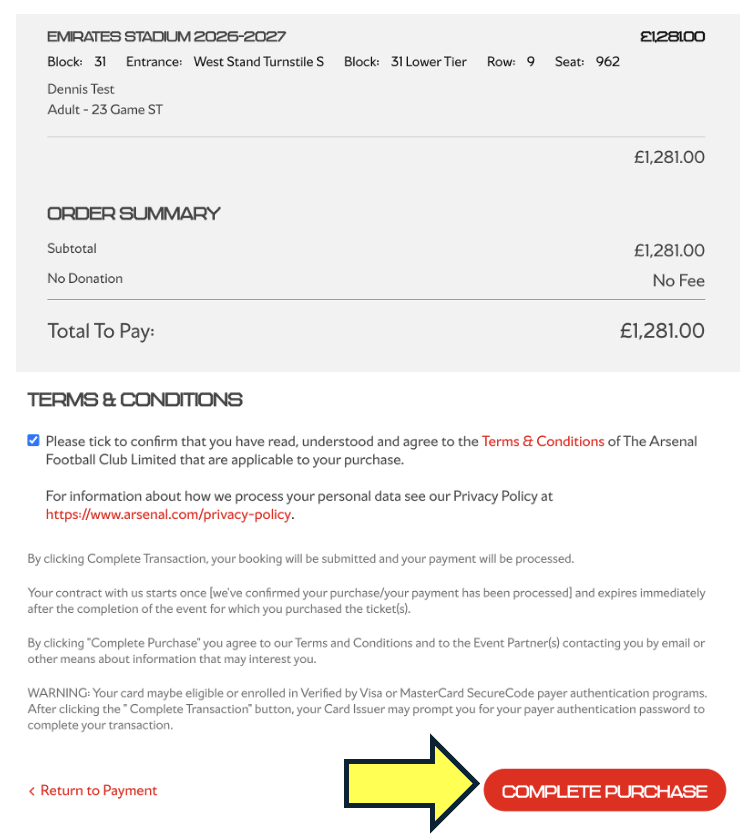
Step 10.1: Complete Your Finance Application
This step is very important.
To begin your finance application, you must click Complete Finance Application.
You will then be redirected to the V12 Finance website, where you will be asked to complete your application.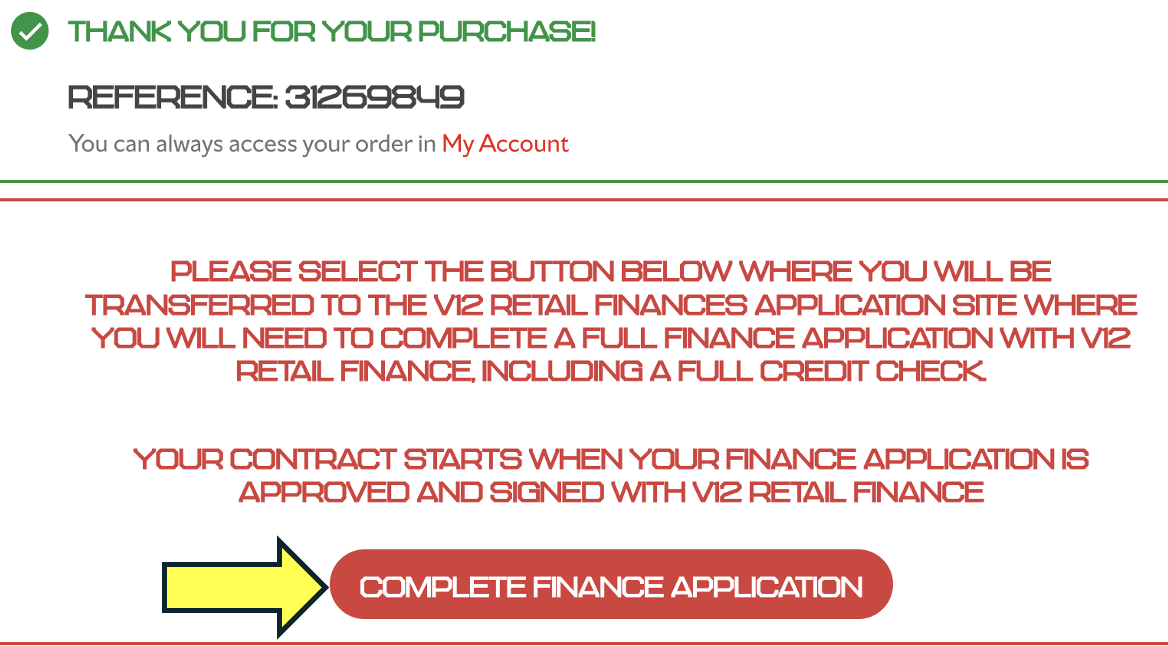
Step 10.2: Start Your Finance Application with V12 Finance
You will now be redirected to V12 Finance website where you will be asked to complete your application
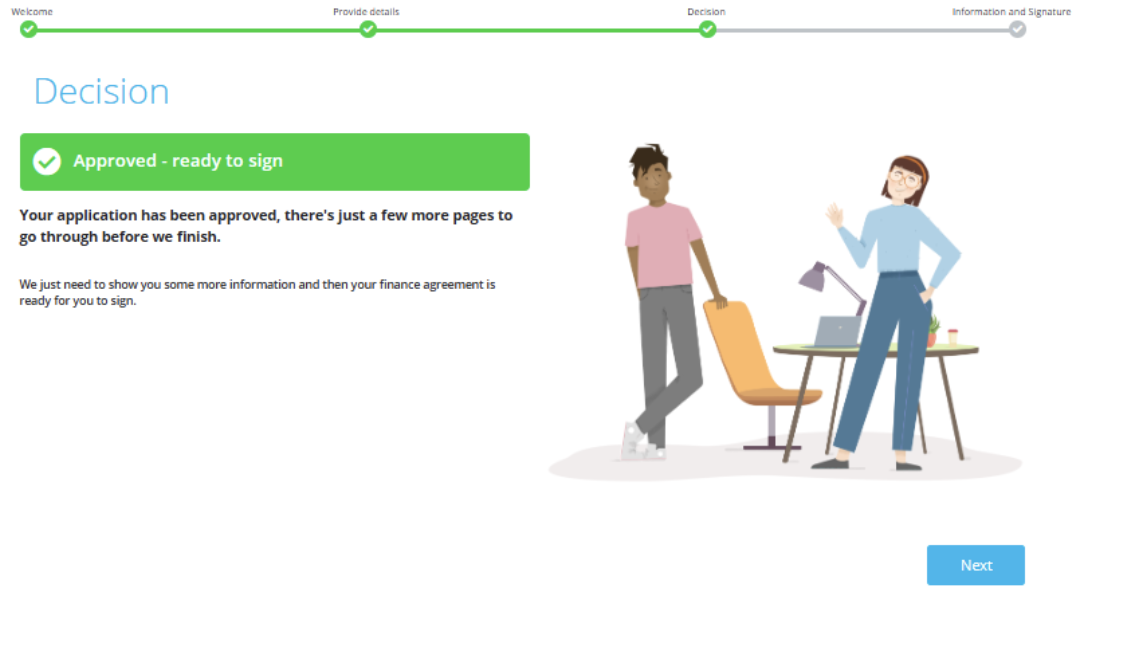
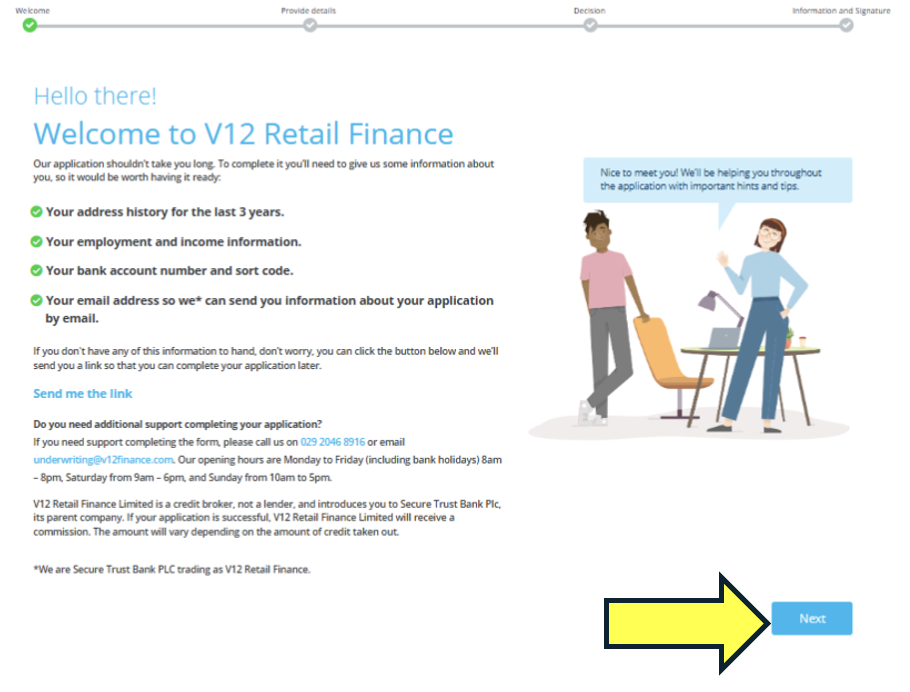 The whole application should take no longer than 45 minutes, after completing all the steps you will be greeted with the below page where you will then be asked to sign the agreement with V12 Finance.