Step 1: Visit the Arsenal Ticketing Website
Go to: www.eticketing.co.uk/arsenal
Once the website loads, click the Log In button located in the top-right corner of the screen.

Step 2: Log In to Your Account
Enter your:
- Email address
- Password
If you are having any issues logging in then you can reset your password here.
Step 3: Select “Account Menu”
After logging in, click the Log In button located in the top-right corner of the screen.
Click My Account and then Tickets & Membership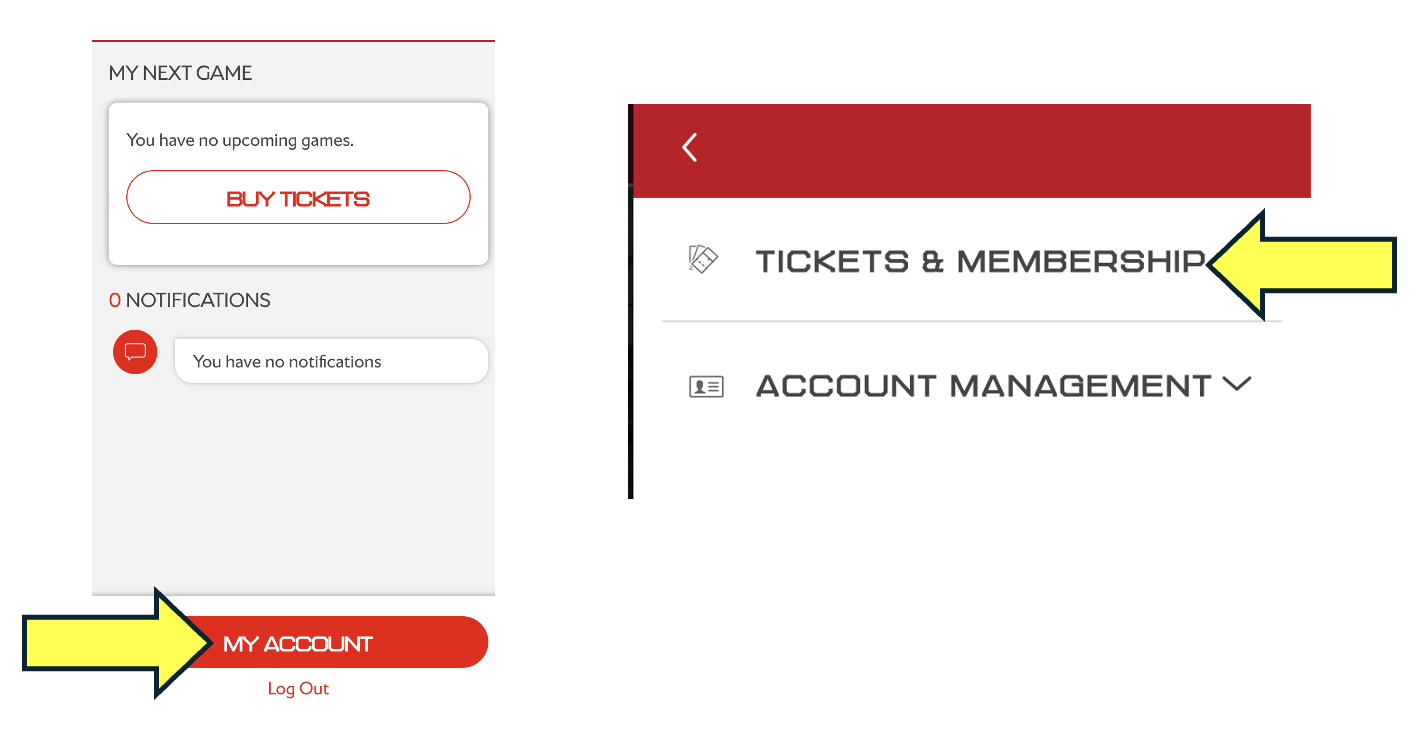
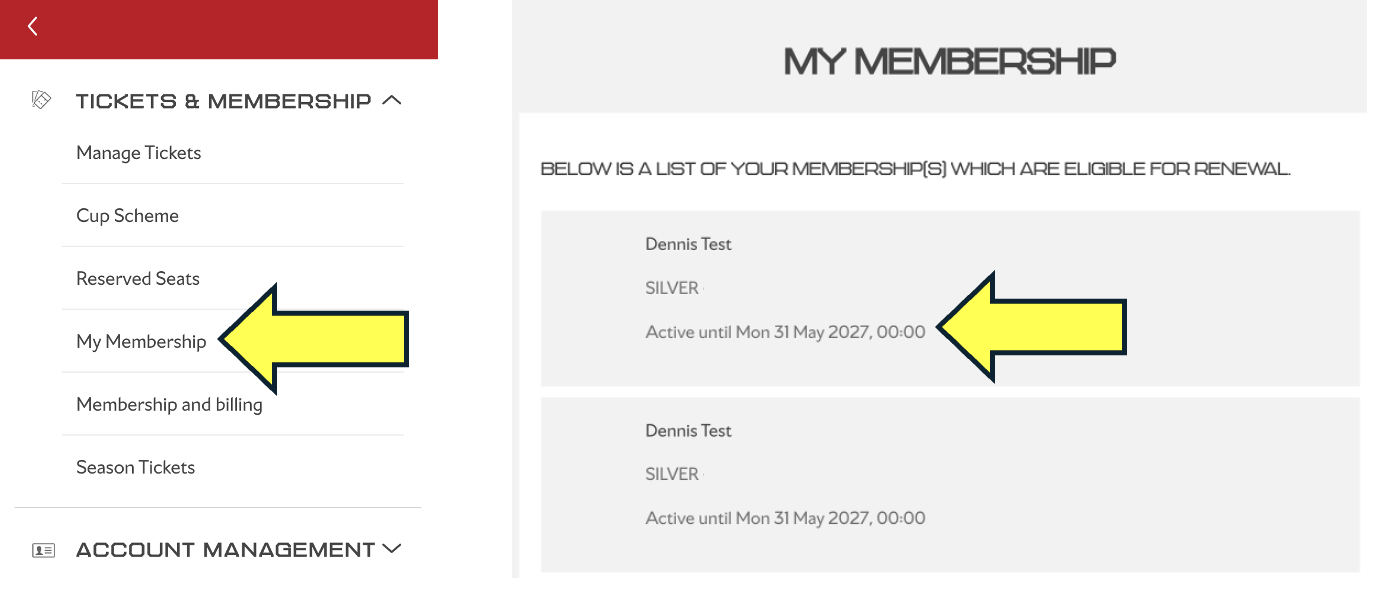
Step 3.1: Select “My Membership”
Click My Membership.
Here you will see a list of all your memberships. If the expiry date on your membership shows as 31 May 2027, this confirms that your membership has been successfully renewed for the 2026/27 season