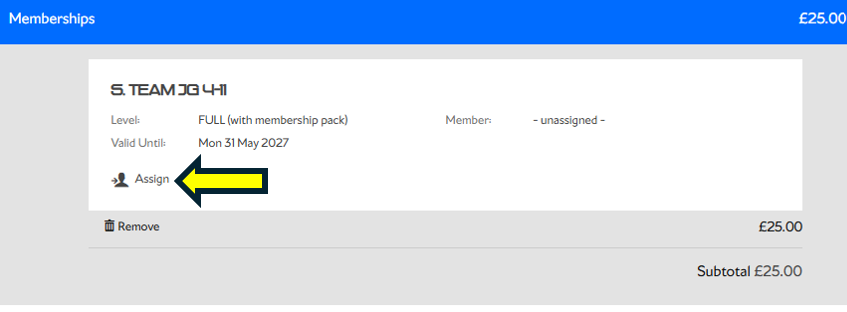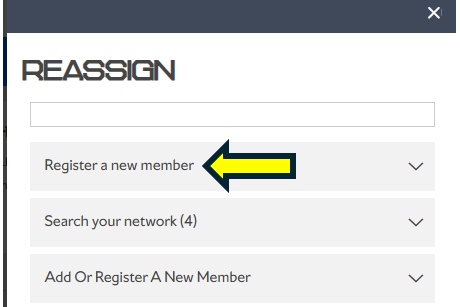
If you are receiving the below error when purchasing a membership, this usually means you are not logged in or you have not yet created an account.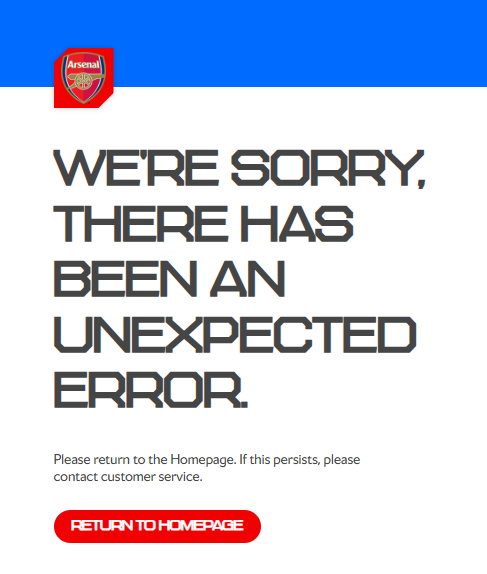
To resolve the issue, please log in if you already have an account. You can find the Log In button in the top-right corner of the screen, once logged in select the membership and add it to your basket

If you don't have a login then you will need to create an account here, once your account has been created, the first time you log in you will be prompted to link your membership number to your Single Sign-On (SSO) account.
Purchasing for a Junior
If you already have an account and are purchasing a membership for a junior, please sign in using your account first. Add the Junior membership to your basket, and during checkout you will have the option to create a junior account through the network, once the account has been created it will then automatically assign the junior account to the membership.