
To purchase tickets for women's fixture on general sale, you must first create an account with us.
You will need to register your email address, and once it has been verified, a 7-digit membership number will be generated for you. You can then use this to access the online box office site to purchase your membership.
When you log in to the online box office site for the first time, you will be asked to link your single sign on account to your membership number.
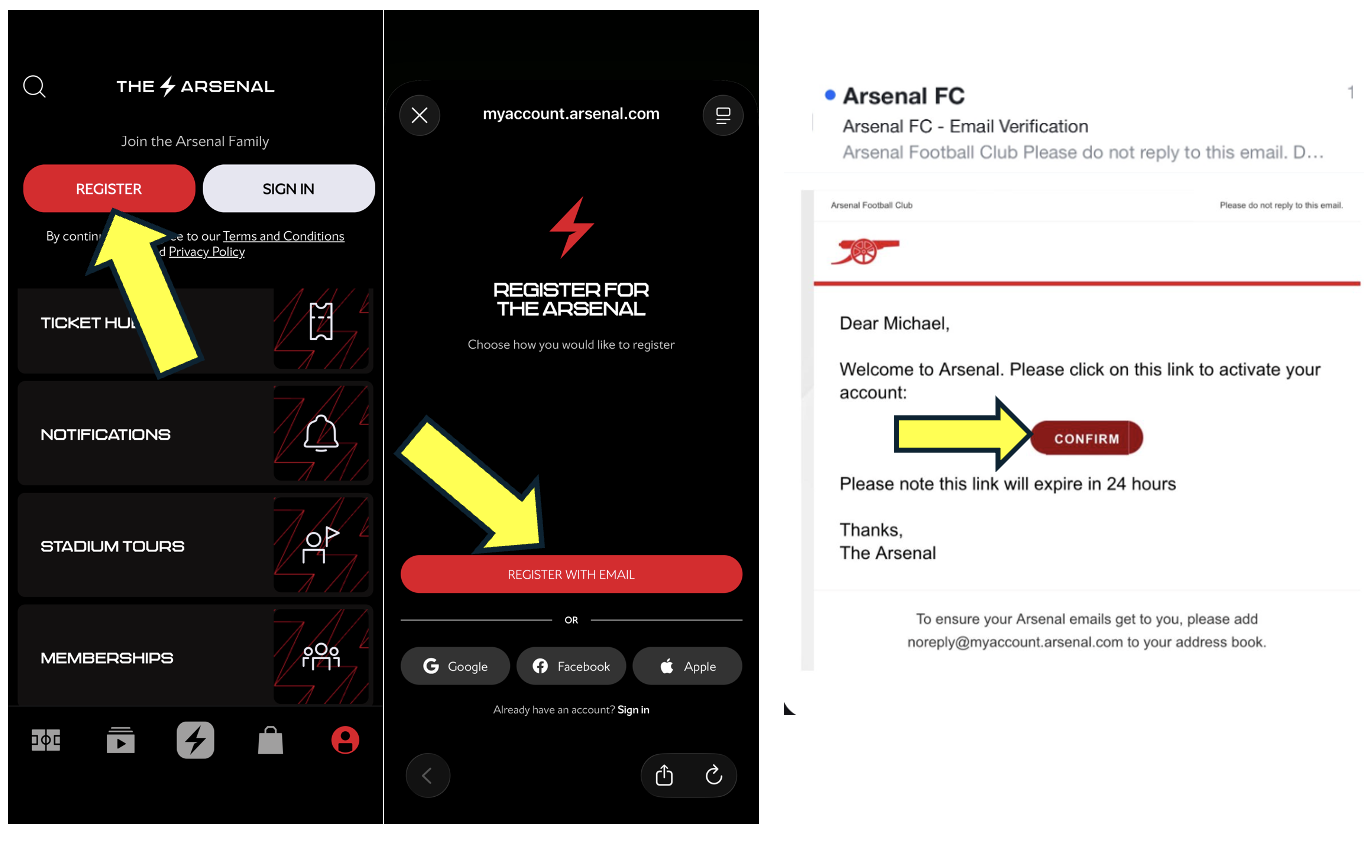
Please follow the steps below to create an account through the Arsenal app.
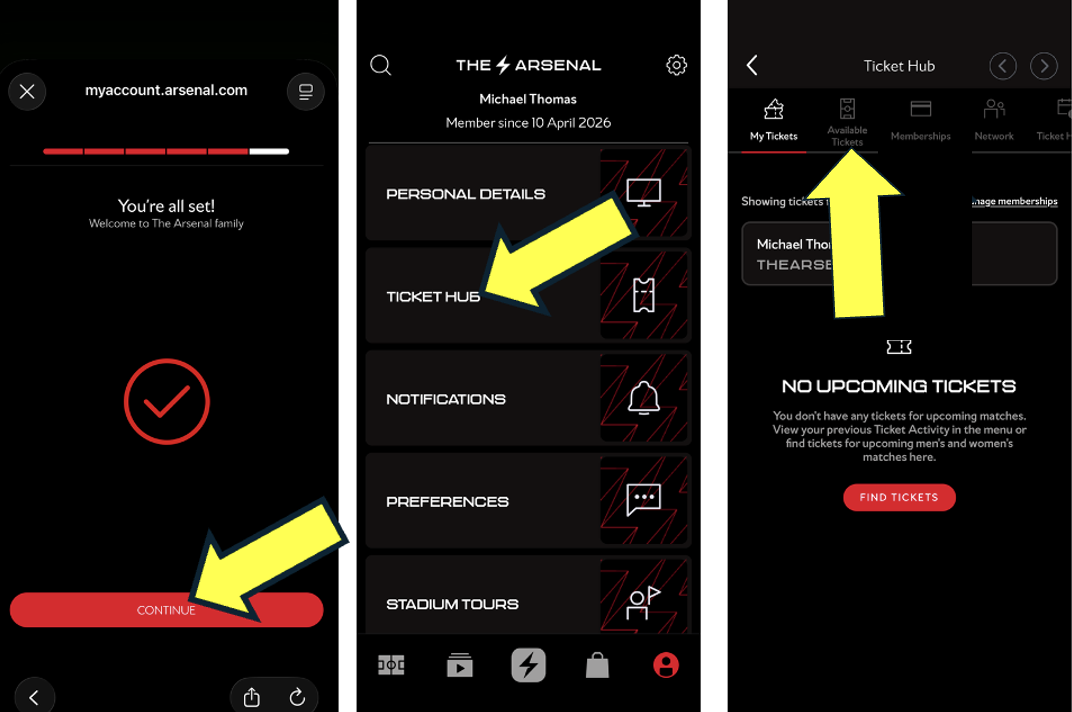
You will now be redirected to the online box office, where you can select the game you wish to purchase tickets for.