
How do I access the Ticket Hub via the Arsenal app?
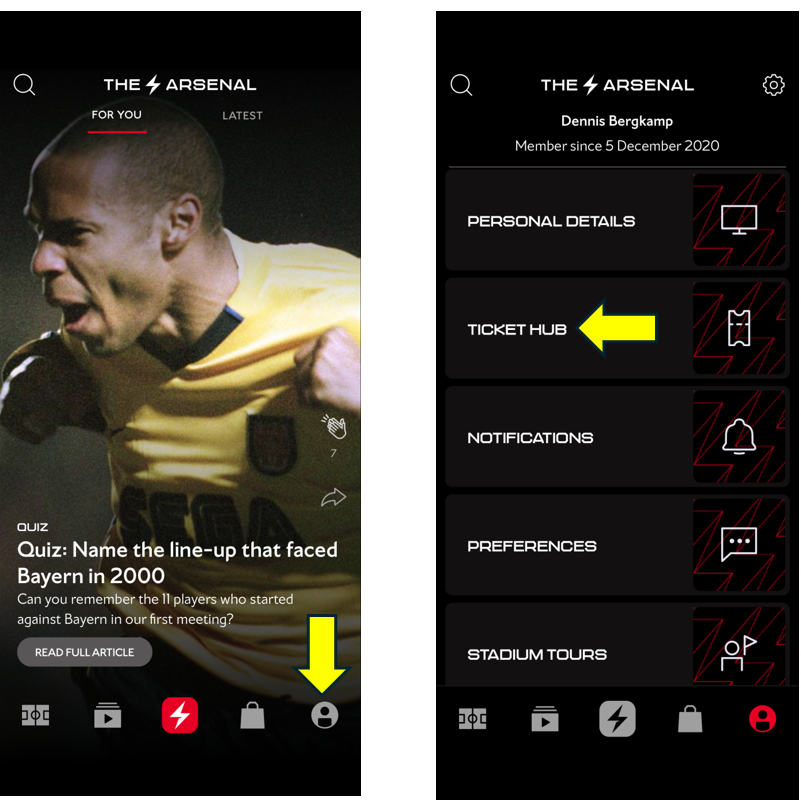
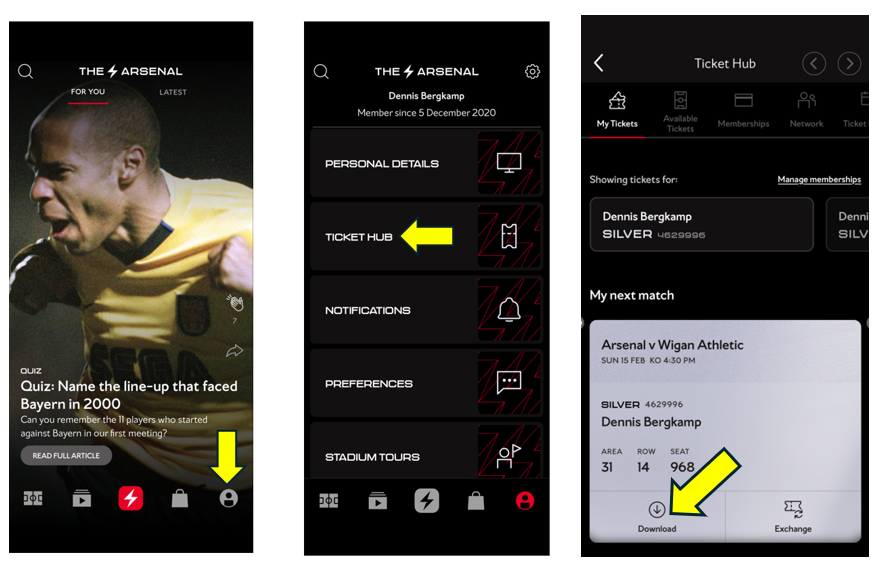
Log in to your account, click on your profile icon in the bottom-right corner, and select Ticket Hub. From there, you're good to go.
How do I access the Ticket Hub via a PC/Laptop?
Please visit Arsenal.com and click on the head & shoulders icon in the right-hand corner of the page.
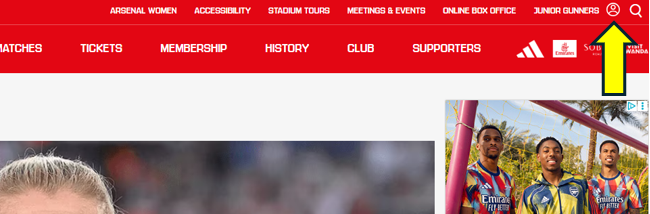
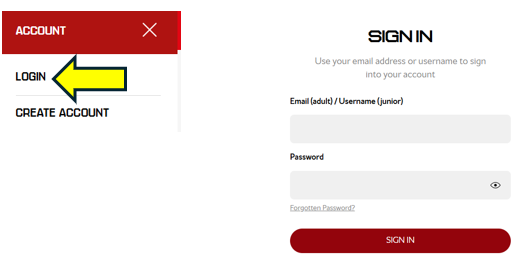
Click login and then type in your email address and password. Be sure to login with the email address associated with your membership account.
Click on the Ticket Hub icon.
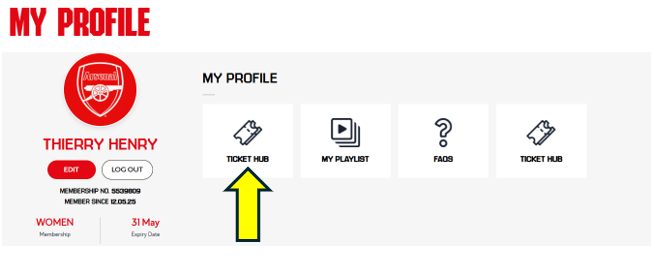
You are now logged into the Ticket Hub.
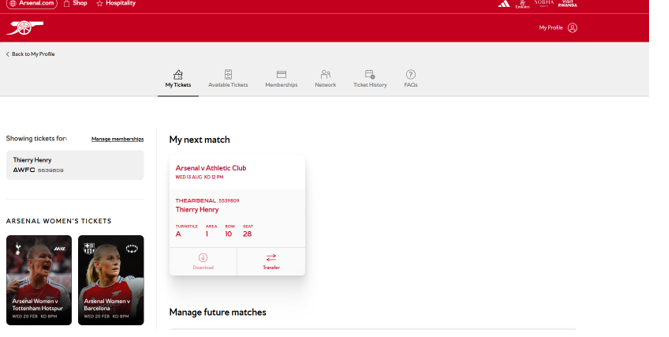
When logging in on the desktop, you will not have the option to download your digital pass and this can only be done through the Arsenal app.
How do I download my membership pass for Men's fixtures?
Your digital pass is now ready for you to download for the 2026/27 season through the ticket hub in the Arsenal app.
Please see below how to download your digital pass.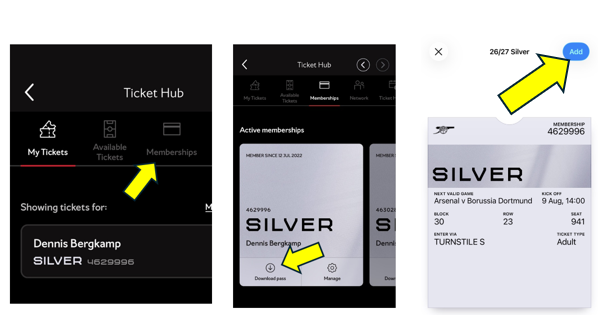
Once downloaded, please do not delete the pass, as it will automatically update in your digital wallet.
A digital pass can only be downloaded and used on one device at a time. After you download and activate it on an Apple (iPhone) or Android device, you cannot transfer or download the same pass onto another device.
How do I track my attendance?
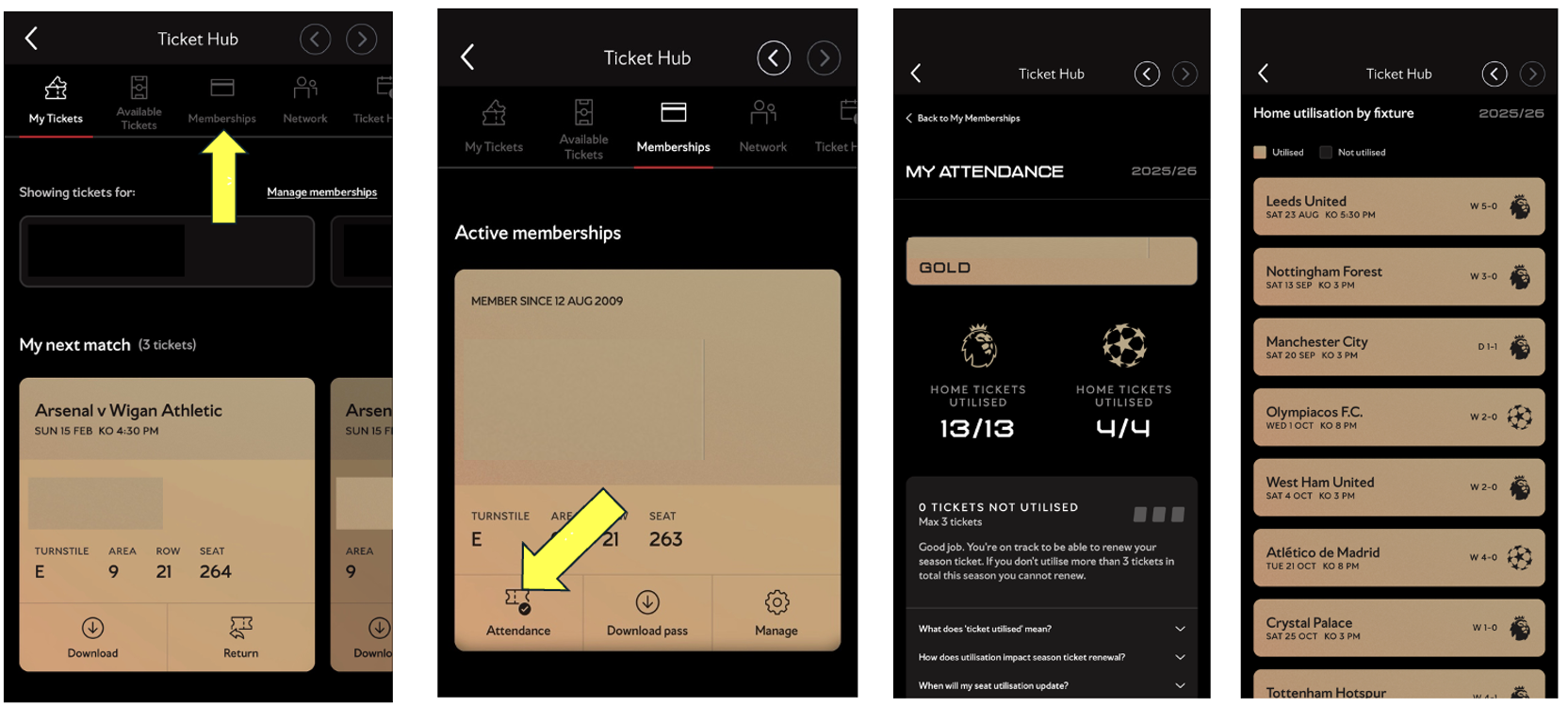
In 2026/27, season ticket holders must continue to use their seat for at least 20 out of the 23 matches included in their season ticket to be eligible for renewal. Supporters who opt for the 19-match season ticket must utilise their seat for at least 17 out of 19 games.
If season ticket holders are unable to attend any fixtures included in their season ticket, they can resell their seat on Ticket Exchange to other Arsenal members or transfer to a friend or family member via Ticket Transfer. There is no cost to the season ticket holder for these services.
If a season ticket holders post their ticket on Ticket Exchange on the day of the match, they will only receive their seat utilisation badge if the ticket sells. If they post their ticket on Ticket Exchange before midnight on the day before the match, they will receive their badge regardless of whether it sells.
See below how to track your attendance using the Arsenal app.
How do I download a ticket that has been transferred to me?
Once accepted tickets can be downloaded directly into your wallet on your smartphone via the App.
See below to learn how to download your tickets using the Arsenal app.
I have management rights on an account, why can't I download the digital pass?
If you have management rights for another member, you will be able to renew their membership, purchase a reserved seat on their behalf, list their seat on the Ticket Exchange and transfer tickets. However, you will not be able to download another supporter’s digital pass.
That supporter will need to log in to their own account via the Ticket Hub to download their pass. For supporters age 13 and under, a parent or guardian can access the digital pass through the parent/guardian account as long as the email address on the parent/guardian account matches the juniors account. Supporters aged 14 and over should have their own login and are required to sign in using their email address.
Supporters are reminded that digital passes are non-transferable and must only be used by the individual named. If you hold a match-by-match membership and cannot attend, please list your ticket on the Ticket Exchange.
Season ticket holders unable to attend can either resell their ticket through the Ticket Exchange or transfer it to a friend or family member.