
Are resale websites safe to use?
Arsenal Football Club tickets are only sold through our official Membership Schemes and our official Matchday Hospitality Packages.
Companies or individuals based overseas may also be able to purchase through one of our Official Hospitality Agents.
Access to the Ticket Exchange System
When does the Ticket Exchange open/close?
The Ticket Exchange is now open and will close three hours prior to kick off.
How to purchase on the Ticket Exchange
Access to the Ticket Exchange service will be limited to members who were unsuccessful in the ballots.
Step 1: To access Ticket Exchange, visit www.eticketing.co.uk/arsenal and click the Log In button in the top right-hand side of the screen.

Step 2: Then, click on Match Tickets at the top of the page.

Step 3: Click on ‘All Matches’.

Step 4: Select the relevant fixture and click ‘Find Tickets’.

Step 5: To view available seats via the Ticket Exchange, you will need to toggle on ‘Include Tickets Posted on Ticket Exchange’ from the left-hand side menu.

Step 6: Any block with availability will be highlighted in blue and any block without availability in will be greyed out. Click on the required block to view specific available seats.

Available seats will be highlighted, whilst again, unavailable seats will be greyed out.
Step 7: Select the desired seats individually and click ‘Add’ to add these to your basket.
Once the tickets are in the basket, they will automatically be assigned to the membership number of the account logged in under.
Step 8: Should they wish to be reassigned to another member, simple click re-assign, where the My Network list will pop up to select from.

Step 9: When assigned correctly, click on ‘Proceed To Checkout’

Step 10: Select the card type to pay on and enter the card details, followed by review order, in order to complete the purchase.

I didn’t register for the ballot, can I get access to the Ticket Exchange?
Can I get a concession price on the Ticket Exchange?
The price class limits for each event are as follows.
Junior: 2000
Young Adult: 700
Cannon: 300
Senior: 200
Why are there no seats on Ticket Exchange?
More tickets do become available closer to the game however we would recommend that you check back regularly on the Ticket Exchange to stand the best chance of securing a ticket.
Please note that the Ticket Exchange will close three hours before kick-off.
Please note you will only see the Ticket Exchange toggle (see below) if there are currently seats live on the seating map.

I am receiving the message Your Browsing Activity Has Been Paused.
If you’re seeing the message below, we recommend switching to a different Wi-Fi network or using your mobile data, as this issue is usually temporary.
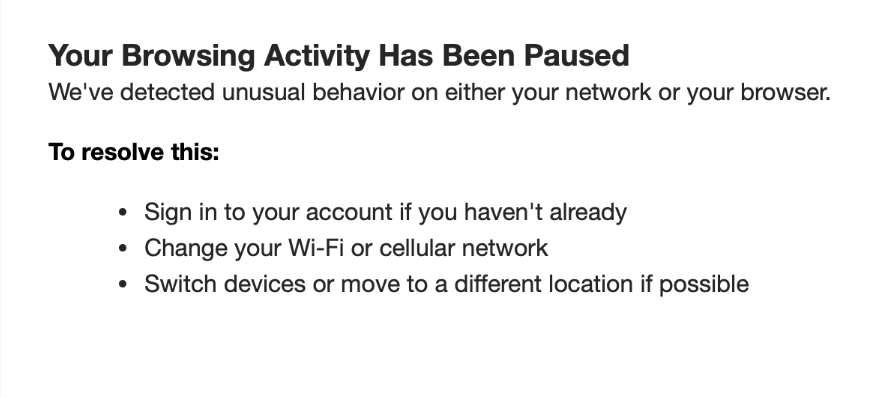
This can be via your phone data to hotspot from or connect through your phone directly without being connected to Wi-Fi.
Please also ensure that you are not using a VPN, and avoid using datacentres, as these will hinder your ability to access the site.
We are working closely with our partners at Ticketmaster to eradicate the use of bot software which prevents genuine supporters from purchasing match tickets. The use of any automated software or computer system to search for, reserve, buy or otherwise obtain Home Match Tickets (including sending information from your computer to another computer where such software or system is active) is strictly prohibited.
Blocked, forbidden or 403 error message
Those errors mean that you've been temporarily blocked from buying tickets because you may have refreshed your browser too frequently. Our system thinks you’re a bot, an automated program trying to scoop up tickets, and we automatically block bots! In most cases, it’s only temporary so try again later.
Cookies and Graphics
Your browser must be set to accept cookies and graphics in order for you to purchase tickets from Ticketmaster because it allows the site to place your ticket information in your computer's temporary memory. View our Cookies and Graphics page for more information.
VPN, Apple Private Relay & Other Proxy Servers
Some online service providers use a device called a proxy server which saves copies of sites on their server rather than connecting users to the Internet or the specific site requested. Using a proxy server might prevent you from purchasing tickets because you need to access our ticketing system directly. Contact your Internet service provider to learn if you’re accessing the Internet by using a proxy server.
Additionally, you may inadvertently trigger an error if your VPN, Apple Private Relay or other software makes it look like you’re using multiple IPs. We recommend clearing your cookies in your web browser, turning off VPNs, Apple Private Relay or other proxy servers.
I have purchased on the Ticket Exchange, when does my digital pass update?
If you purchased your ticket through the Ticket Exchange, your pass will update by 2pm on the next working day.
If you purchased your ticket within 72 hours of matchday, your digital ticket will update on the day of the game, no later than three hours before kick-off.