
Download to an Android
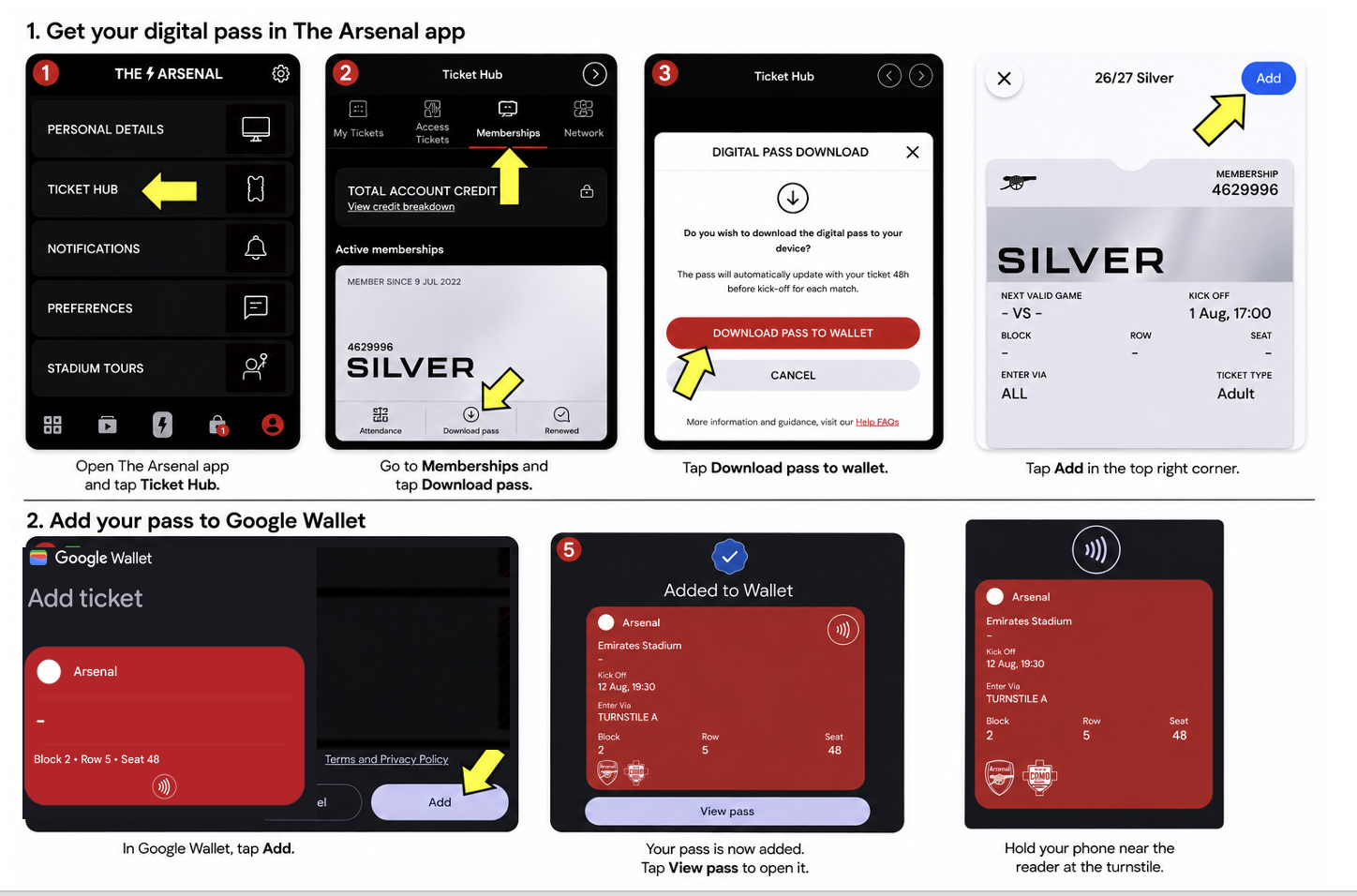
Note
An active Google Account is required, along with the Google Wallet app installed on the Android device. This allows the digital pass to be securely added to Google Wallet, where it can be stored, managed, and presented when required.
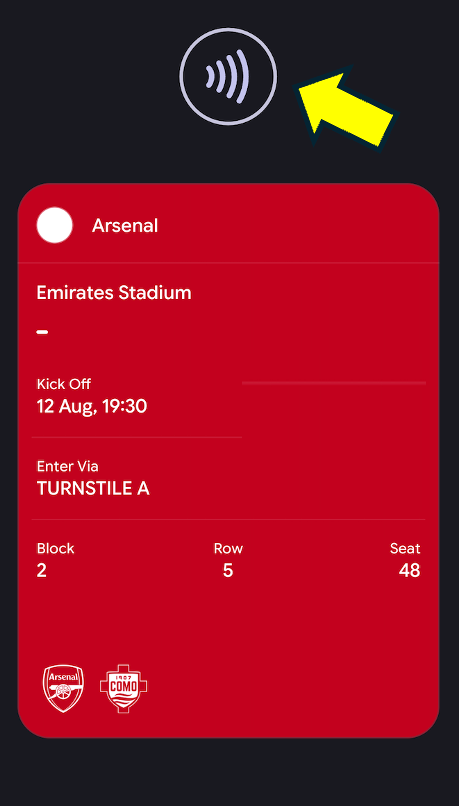
Android - No Barcode
As long as your pass displays the contactless symbol, it will be valid for use at the turnstile. Simply scan your pass at the turnstile to gain entry to the stadium.
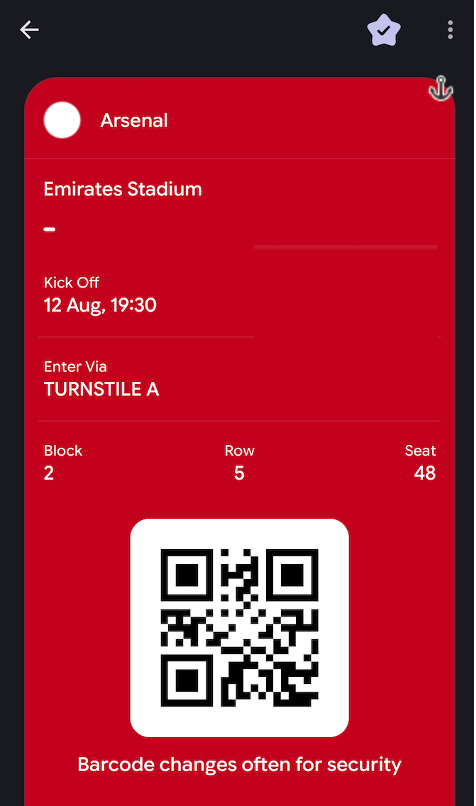
Android - Barcode
Depending on the make and model of your device, as well as your device settings, your pass may display a barcode instead.
Scanning the barcode will still allow you to gain entry to the stadium.
My iPhone Digital Pass hasn’t updated
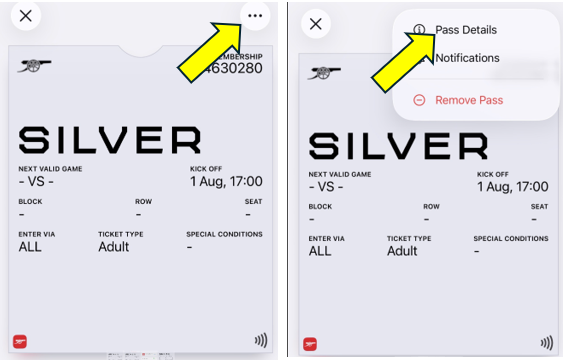
Your Season Ticket pass should update automatically to the next available fixture. Make sure updates are enabled in Google Pay / Apple Wallet. If not, follow the steps below:
iPhone:
- Go to Apple Wallet → your season pass → circle with three dots → Pass Details
- Enable "Automatic Updates"
- Pull down to refresh/update the pass or toggle Automatic Updates off and on
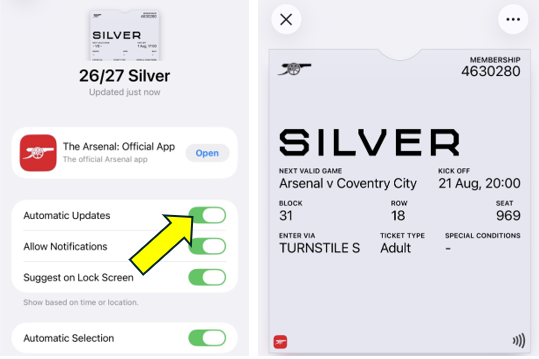
Android: Automatic Updates should be on by default. If not, try restarting your phone or removing and re-adding the pass via the Arsenal App.
How to scan your Digital Pass
Before leaving home, make sure your phone is fully charged and your digital pass is downloaded in your wallet.
At the stadium, follow the instructions to gain entry. If there are issues, visit the Digital Ticketing Help Centre (Turnstile A) or the Matchday Box Office (next to the Armoury).
If having issues scanning, remove your phone case.
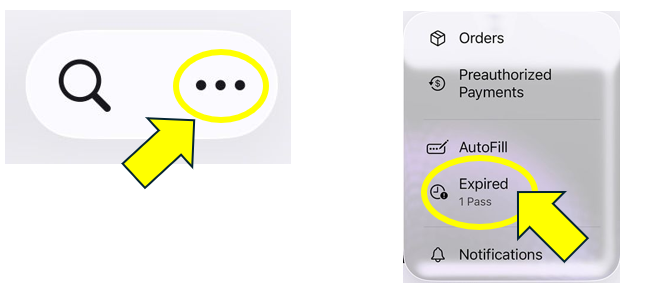
My pass has disappeared from Apple Wallet
• Open your Apple Wallet App
• Click on the 3 dots in the corner and select Expired
• Select your Season Ticket and tap 'Unhide'
• Return to the main Wallet screen
My pass has disappeared from Google Wallet
If you have downloaded your pass but are unable to view it in Google Wallet, please check that you are logged into the correct Google account.
Open Google Wallet and tap your profile picture in the top-right corner, then switch between your Google accounts to check whether the pass appears.
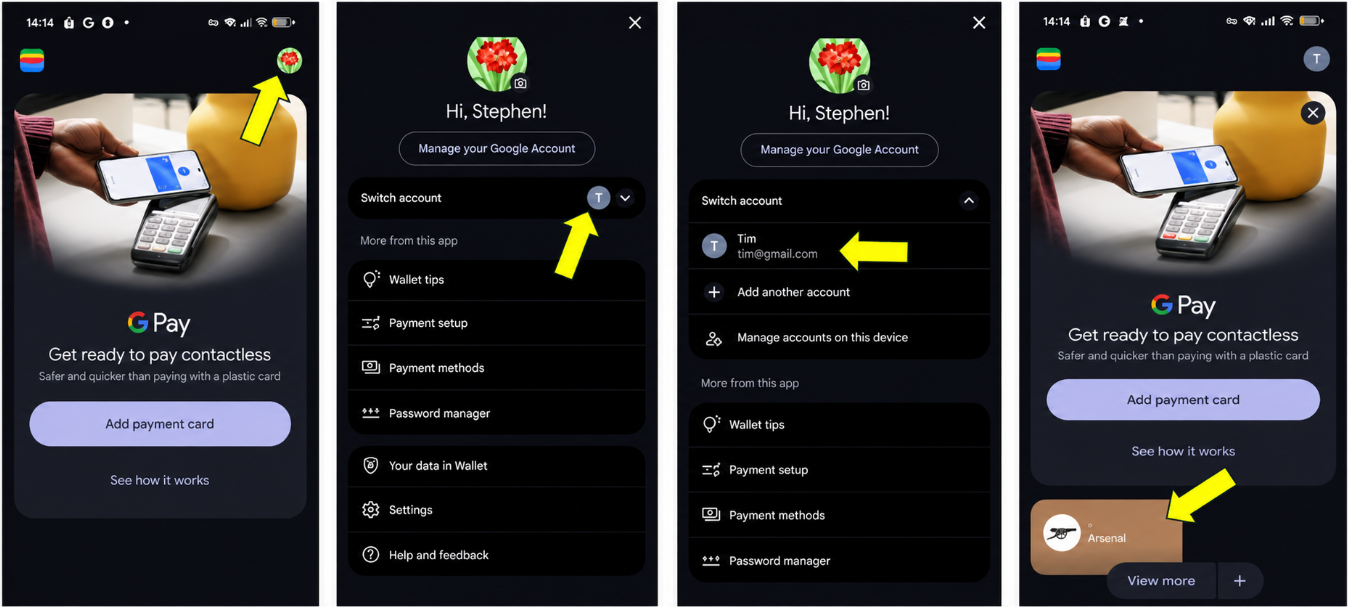
If you don’t see any accounts available to switch to, click Add another account and enter the correct email address.