
How to sell on the Ticket Exchange
Season ticket holders and six game bundle members only.
If you are unable to attend a game then you can make your ticket available via the Ticket Exchange Service.
Upon a buyer being found and a sale being made, your digital pass will be disabled for the game while the buyer's digital pass will be activated.
Step 1: To access Ticket Exchange, visit www.eticketing.co.uk/arsenal and click the Log In button in the top right-hand side of the screen.
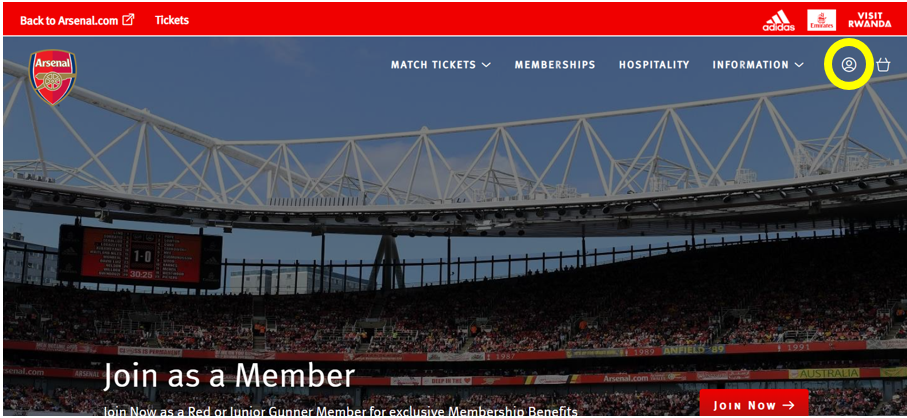
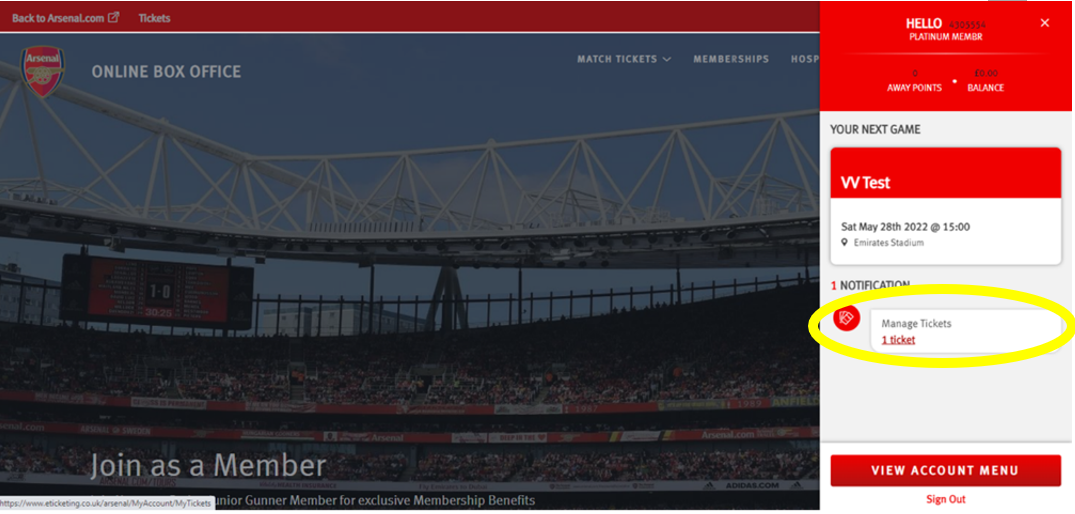
Step 2: Then, click on the head and shoulders icon in the top right-hand corner before clicking ‘Manage Tickets’.
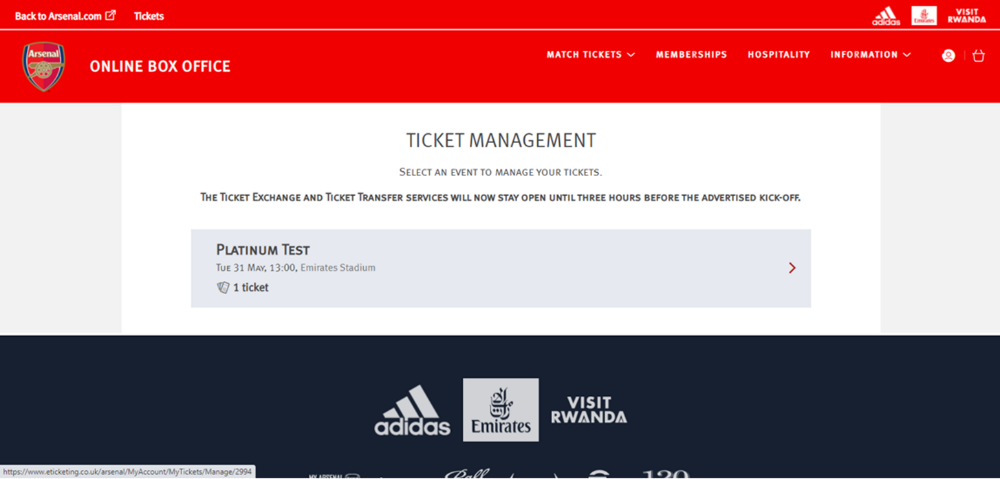
Step 3: The games which can be posted for sale via the Ticket Exchange platform will appear and you will need to select the game you'd like to post your ticket for.
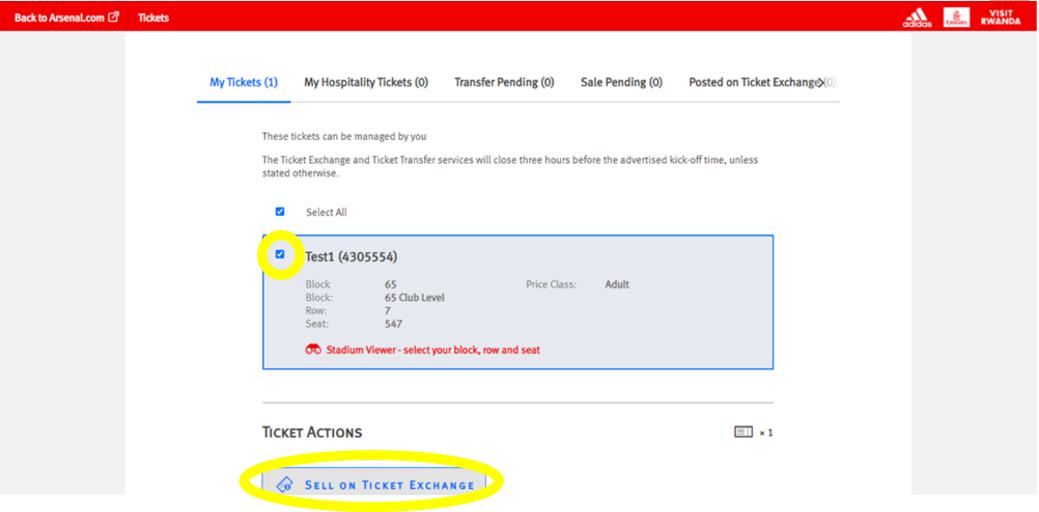
Step 4: Ensure the box is ticked next to the desired seat to post for sale and click on ‘Sell On Ticket Exchange’ under ‘Ticket Actions’.
Step 5: Click ‘Proceed To Payment’ on the following page.
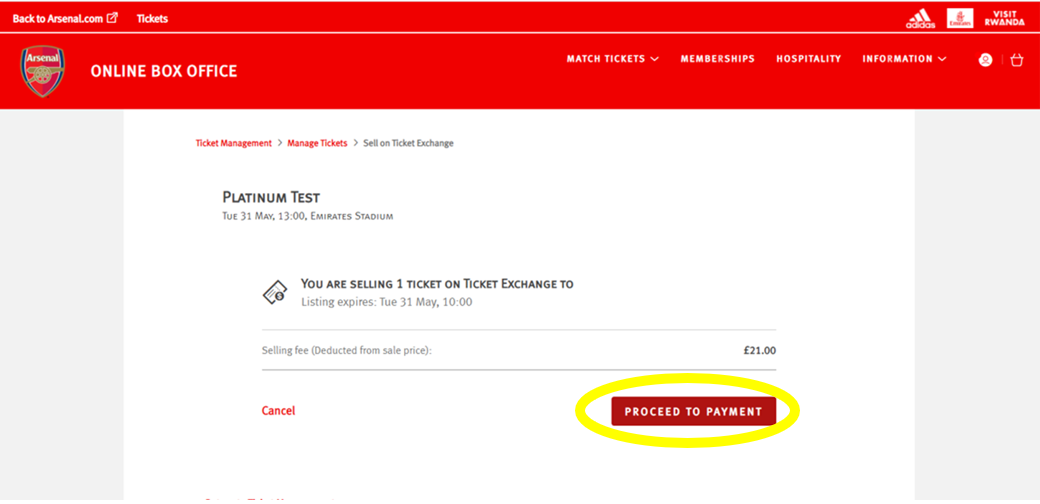
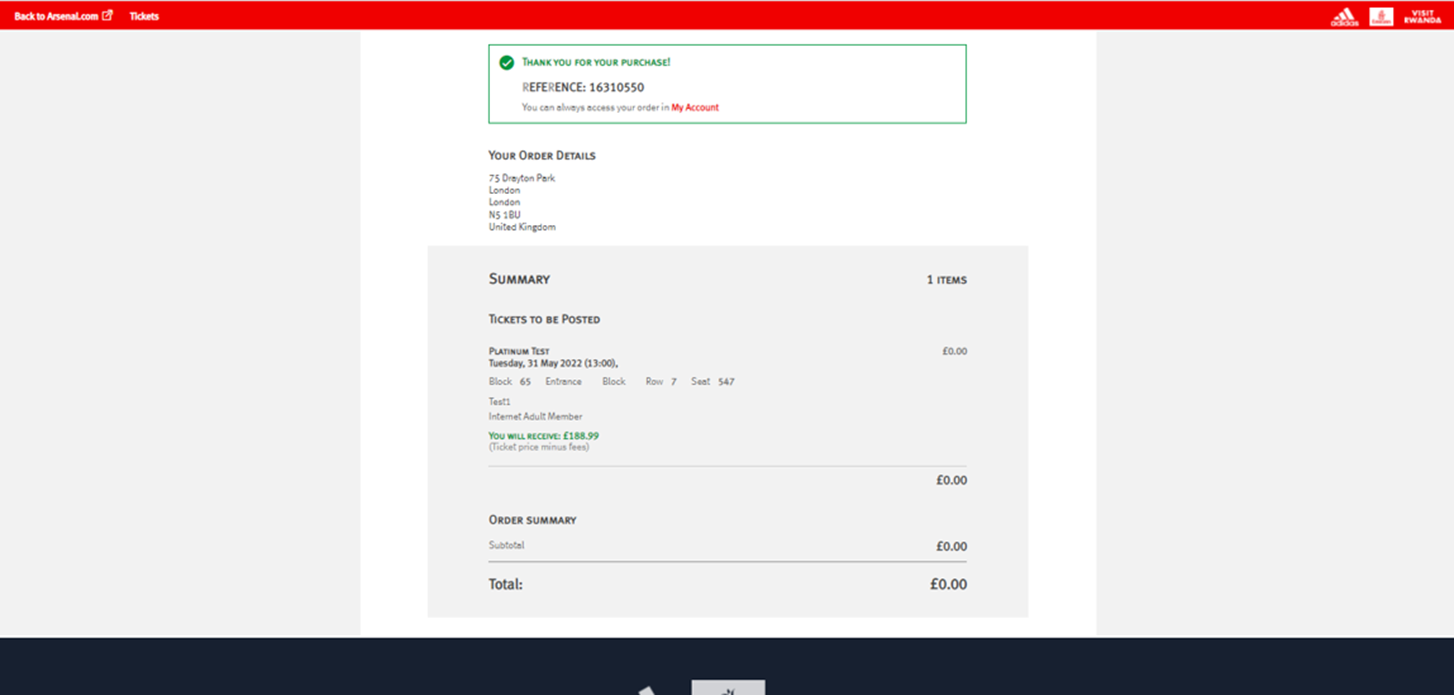
Step 6: You will then see a confirmation screen confirming the Ticket Exchange posting.
Seat Utilisation Policy
To ensure we preserve the incredible atmosphere at Emirates Stadium next season, Season Ticket holders must use their seats for at least 10 of the 13 games, and Six Game Bundle holders must attend at least 4 of the 6 games to be eligible for renewal in the 2027/28 season.
As a reminder, a seat is considered ‘used’ if you have either:
- Attended yourself
- Used the Ticket Transfer service to transfer your ticket(s) – provided the recipient(s) attends the fixture
- Posted your ticket(s) on Ticket Exchange – regardless of whether it’s purchased
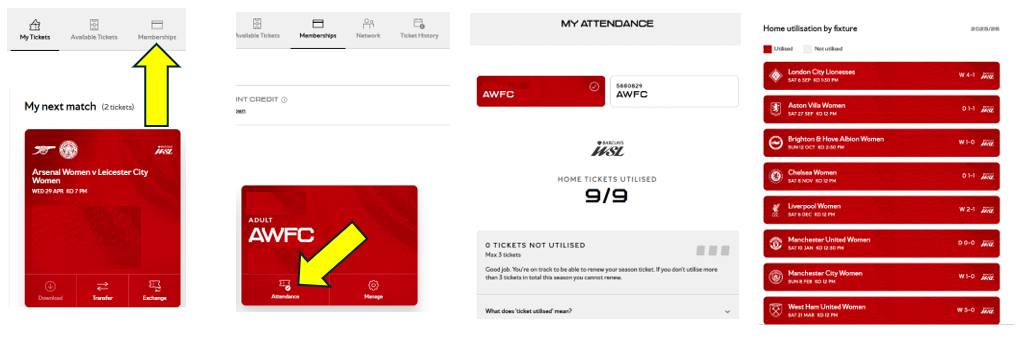
Please see below on how to track your attendance through the Ticket Hub.
I have sold my seat on the Ticket Exchange, how do I receive my funds?
What happens if my seat posted on the Ticket Exchange does not sell?
If your ticket is not sold by the deadline, then it will no longer be offered for sale through the Ticket Exchange service and you may use the ticket to attend. Please note, posting a ticket for sale through the Ticket Exchange does not guarantee that the ticket will be sold.
Supporters will not be notified by email if their seat does not sell, therefore we strongly recommend that you check the 'Booking History' section of your Online Box Office account for confirmation of whether your ticket has sold.