
If you are a 19 Game Gold Season Ticket holder, please note that you can purchase your own season ticket seat(s) from 12pm on Wednesday, October 7. The seat(s) will be reserved online and held until 12pm on Thursday, October 8, and there will be no booking fee during this priority booking period.
Step 1: Visit the Arsenal Ticketing Website
Go to: www.eticketing.co.uk/arsenal
Once the website loads, click the Log In button located in the top-right corner of the screen.

Step 2: Log In to Your Account
Enter your:
- Email address
- Password
If you are having any issues logging in then you can reset your password here.
Step 3: Select “Reserved Tickets”
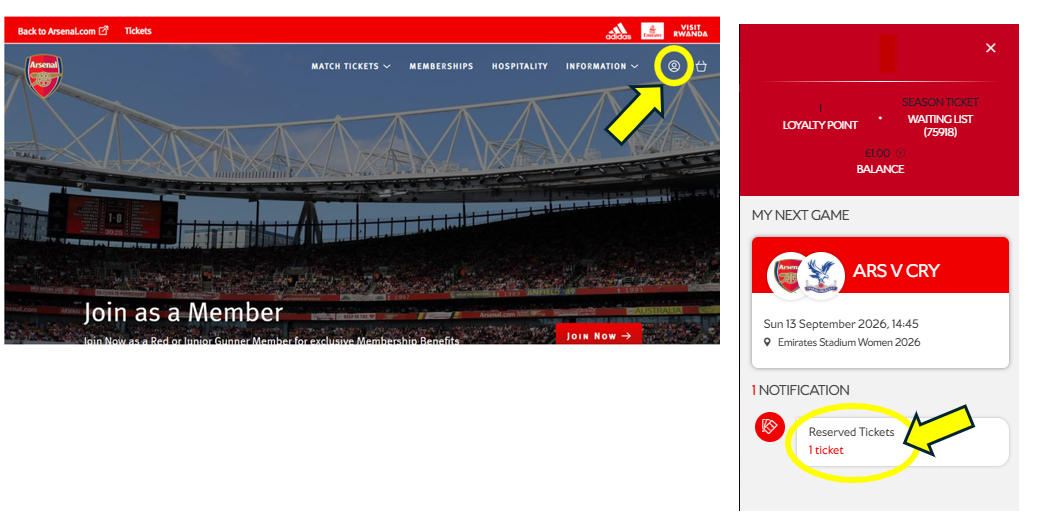
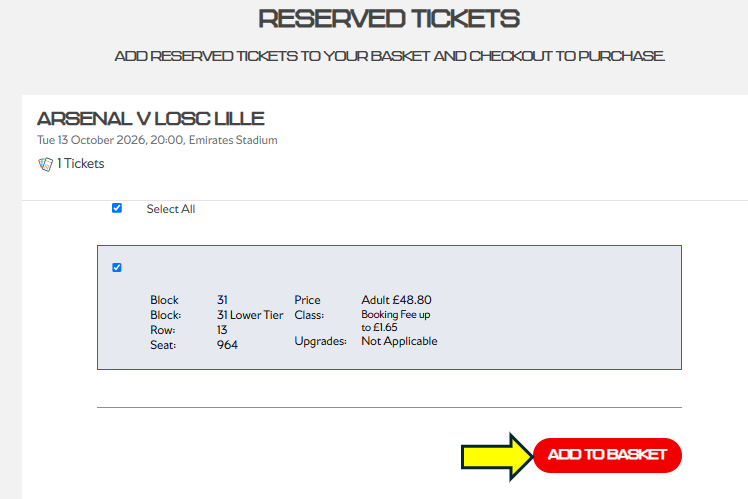
Step 4: Add to basket
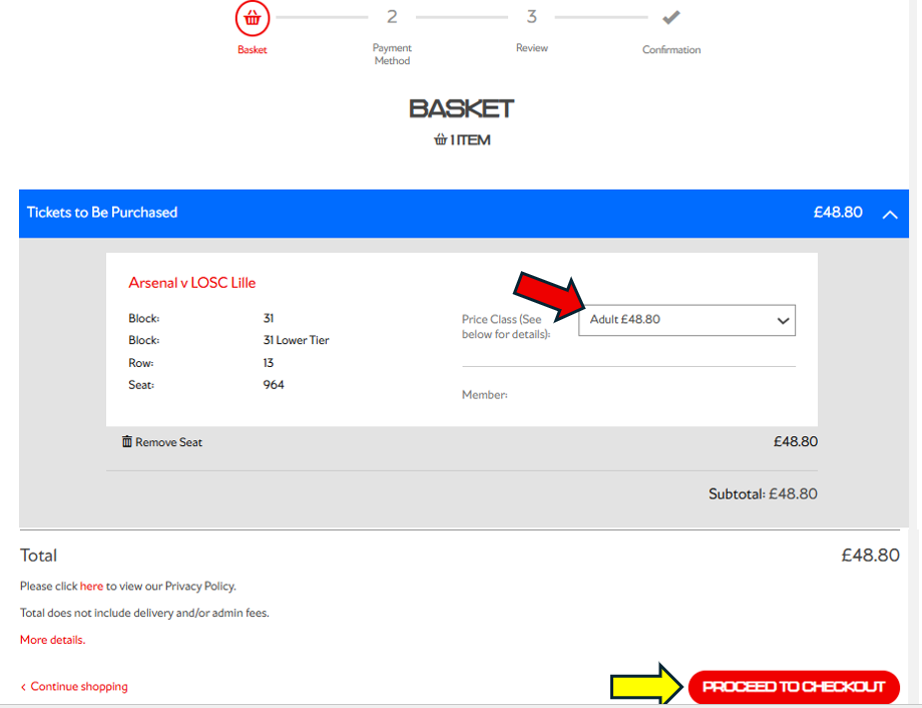
Step 5: Proceed to checkout
Note
If you are a 19 Game Gold Season Ticket holder with a concession season ticket, your seat will already be reserved at the correct concession price in the "Proceed to checkout" section.
You can upgrade to an adult ticket online when booking (see red arrow) by clicking on the drop down. If you wish to change it back to the original concession price before purchasing, simply log out and back in again.
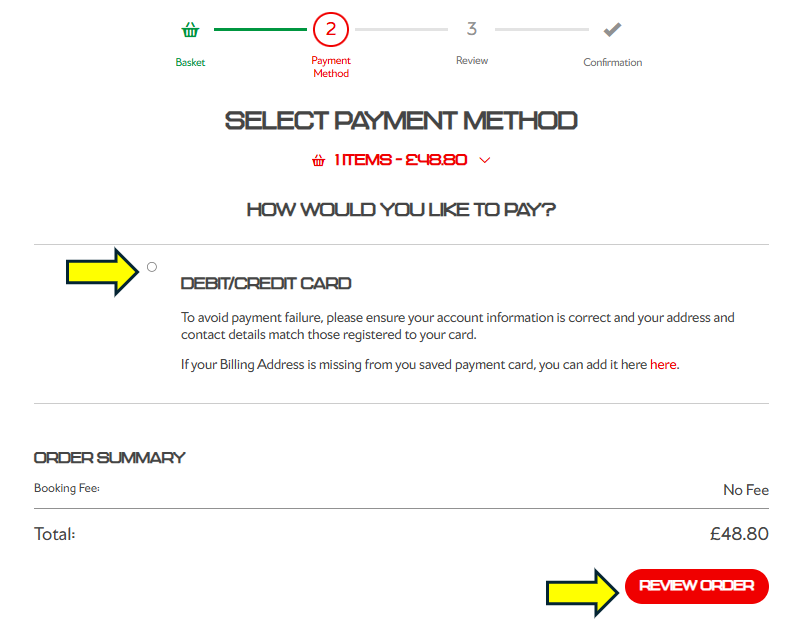
Step 6: Review order
Note
Once payment has been made you will then receive a confirmation page and confirmation email. If you are unable to locate your confirmation email, you can visit your Booking History online to view your transaction and resend the confirmation email.