To list your ticket for resale through the Ticket Exchange, you will need to log in to your online eticketing account.
Please follow the steps below to access the Ticket Exchange.
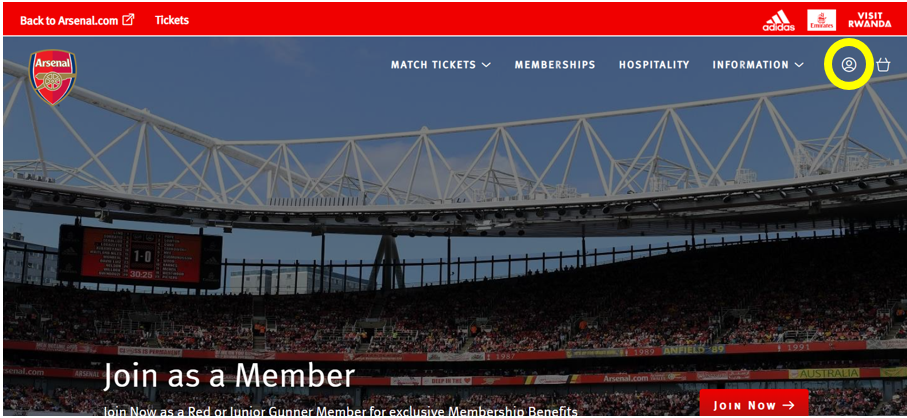
Step 1: To access Ticket Exchange, visit www.eticketing.co.uk/arsenal and click the Log In button in the top right-hand side of the screen.
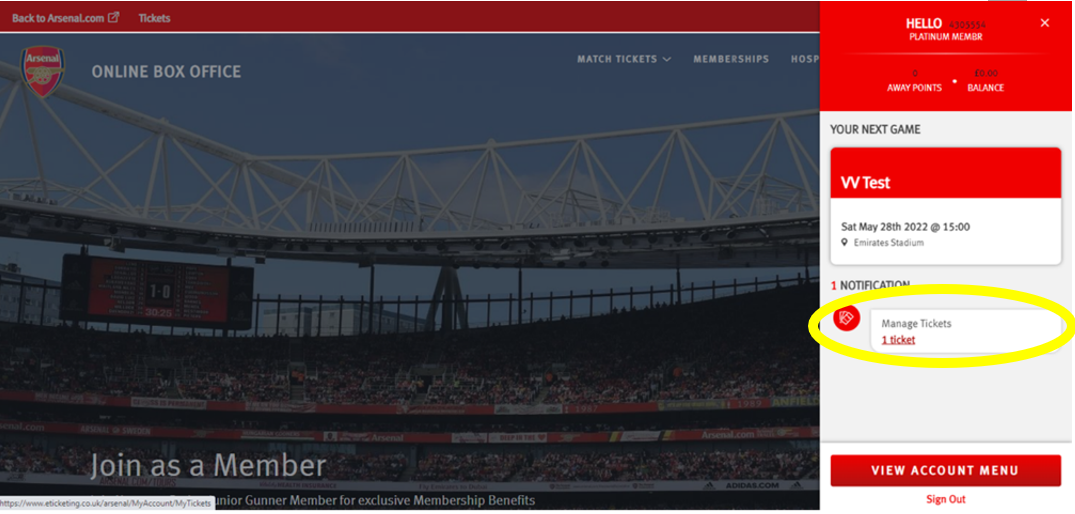
Step 2: Then, click on the head and shoulders icon in the top right-hand corner before clicking ‘Manage Tickets’.
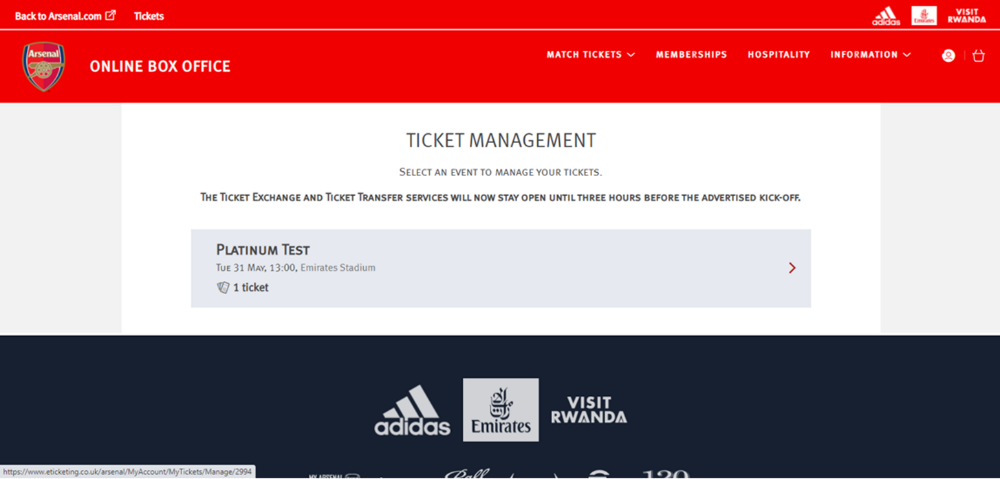
Step 3: The games which can be posted for sale via the Ticket Exchange platform will appear and you will need to select the game you'd like to post your ticket for.
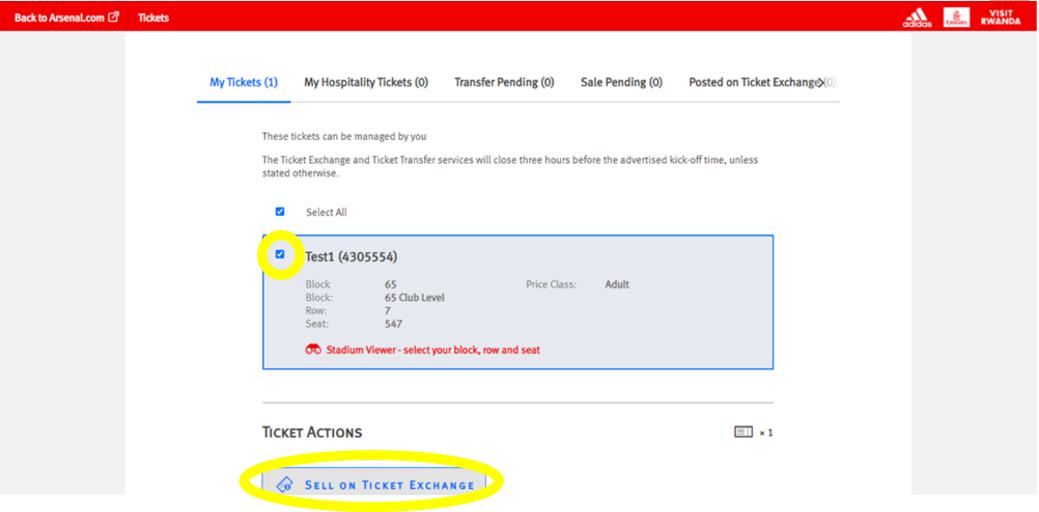
Step 4: Ensure the box is ticked next to the desired seat to post for sale and click on ‘Sell On Ticket Exchange’ under ‘Ticket Actions’.
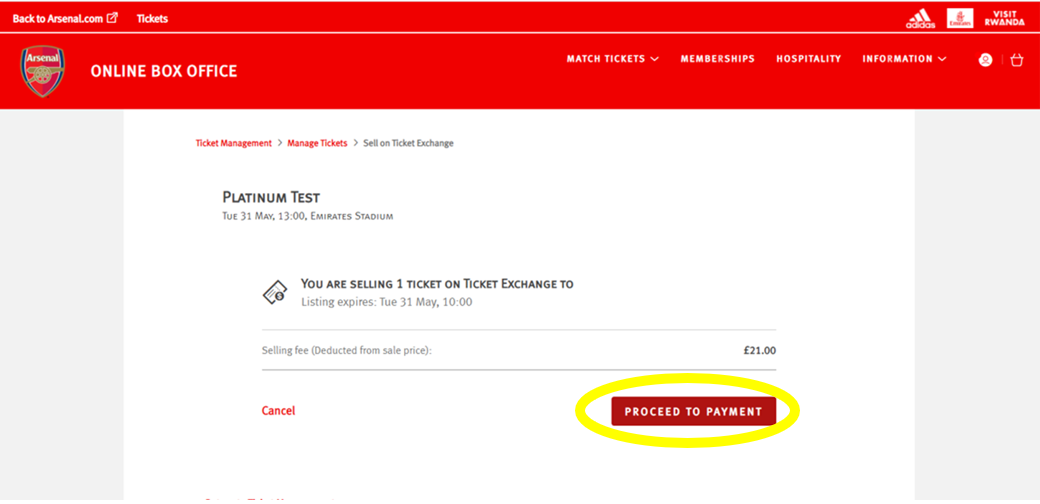
Step 5: Click ‘Proceed To Payment’ on the following page.
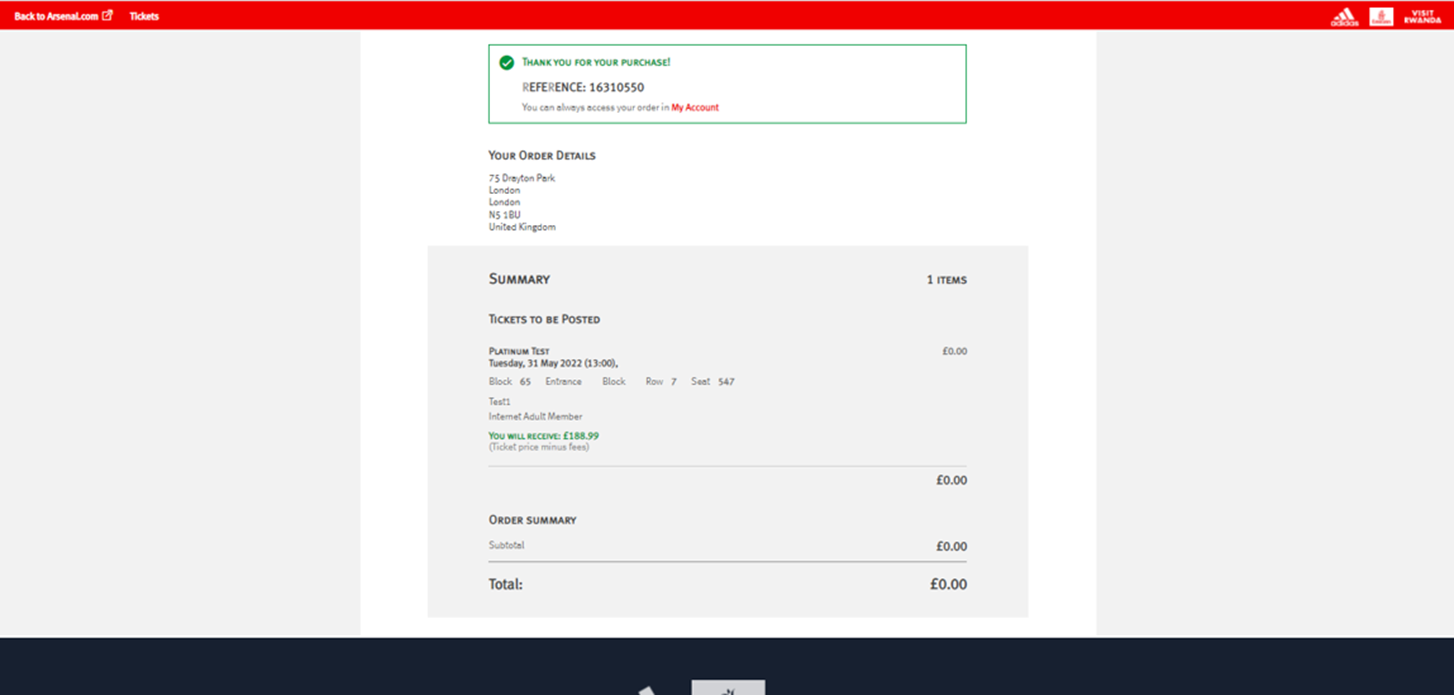
Step 6: You will then see a confirmation screen confirming the Ticket Exchange posting.