Please note ballot registration for Sale Window 2 is now closed.
This ballot will open at midday on Monday 16th February, and close at midday on Thursday 19th February. Members in Sale Window 2 should read the information below to familiarise themselves with the ballot registration process.
Please click here to login to the Online Box Office. Then click on the head and shoulders icon in the top right-hand corner.
You will now be prompted to sign-in using your email and password. If you have forgotten your password, please request a password reset.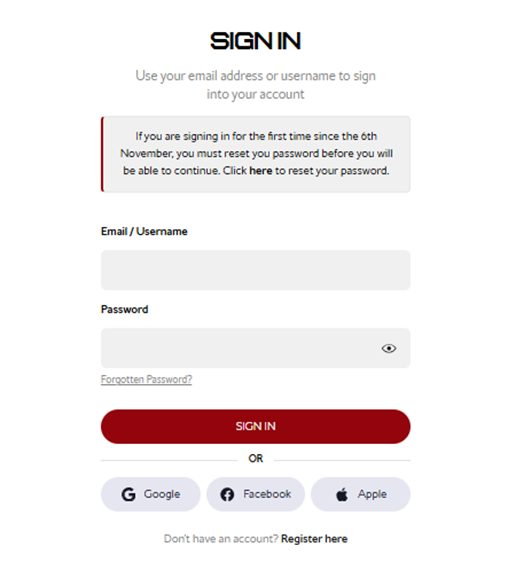
Step 1:
Once logged in, select Tickets & Ballot and then Ballot Registrations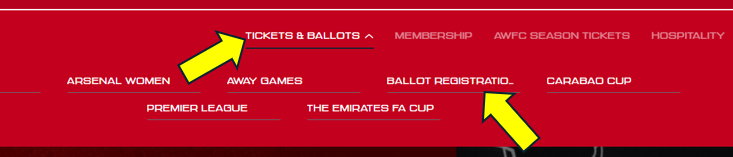
Step 2:
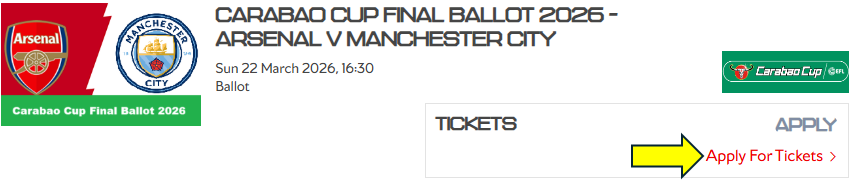
You will then see the option to register for the ballot and then click Apply For Tickets
Step 3:
At this stage you are able to select the number of tickets you wish to apply for (max 6 per member) and allocate them to applicable members from your network.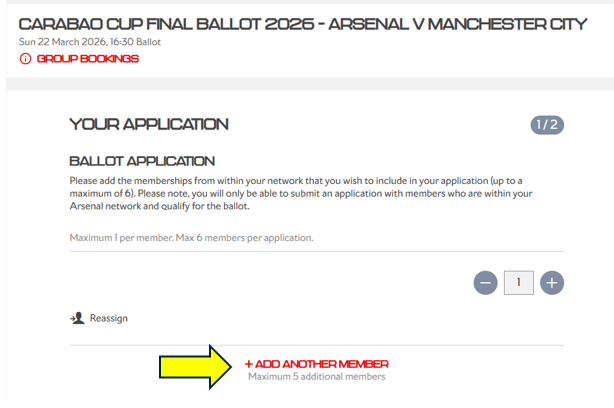 To clarify, the membership number you are currently logged in with will be automatically included on your ballot application. Then, click “Add Another Member” to include any additional memberships in the application
When you select Add Another Member, a pop-up will show all eligible members in your network who can be added to your ballot application.
If a member’s name appears greyed out, this means they do not meet the eligibility criteria to register for the ballot.

Step 4:
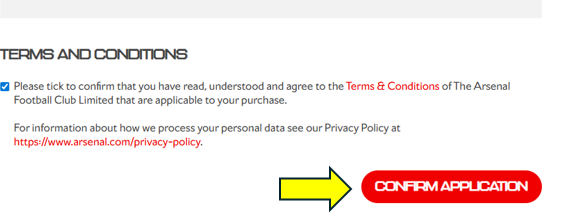
Once you are happy with your application, scroll to the bottom of the page, agree to the Terms and Conditions, and then click Confirm Application
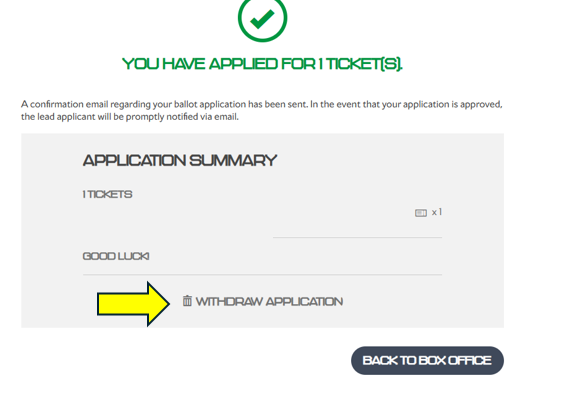
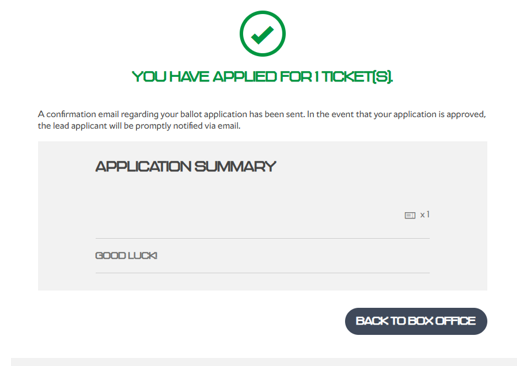
You will then see a confirmation page confirming that you have successfully registered for the ballot.
I need to amend my ballot application
If you need to amend your application, you can only do so during the ballot registration window. Select Tickets & Ballot, then Ballot Registrations.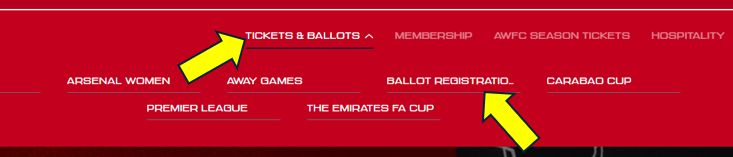
You will be directed to the page shown below, where you can click Withdraw Application and then start your application again.