
Successful standby window entrants will be eligible to purchase, should tickets become available from 1pm on Monday, March 2 until 1pm on Wednesday, March 4.
Please note that all ticket sales are online only, and unfortunately, we are unable to relocate any bookings purchased in different sales windows to allow groups from different phases to sit together.
Supporters will be able to purchase up to 6 tickets per transaction for successful applicants. If you are purchasing tickets as a group, please ensure that each successful applicant is part of your Network prior to making your booking. For information on how to add a supporter to your Network, please click here.
How do I select my seat?
Please click here to login to the Online Box Office. Then click on the head and shoulders icon in the top right-hand corner.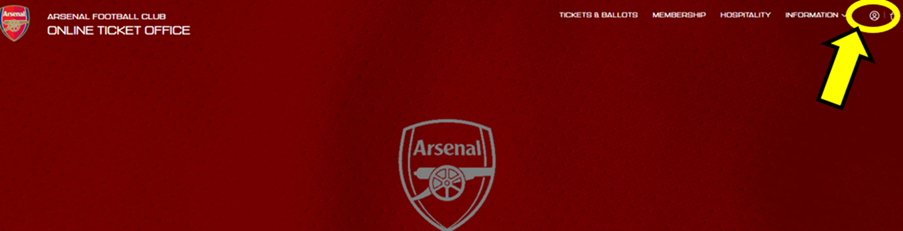
You will now be prompted to sign-in using your email and password. If you have forgotten your password, please request a password reset.
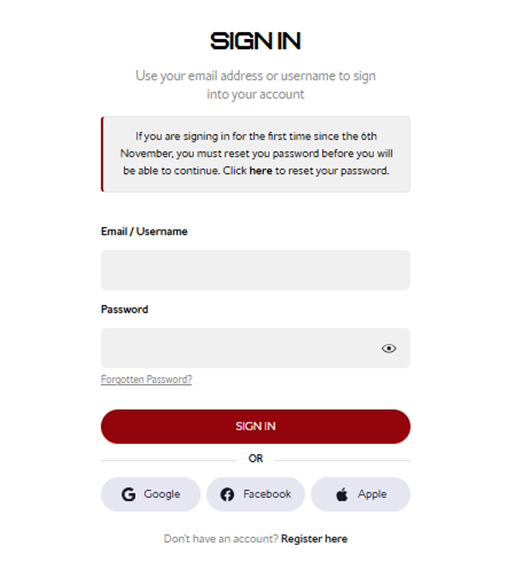
Step 1:
Once logged in, select Tickets & Ballot and then Carabao Cup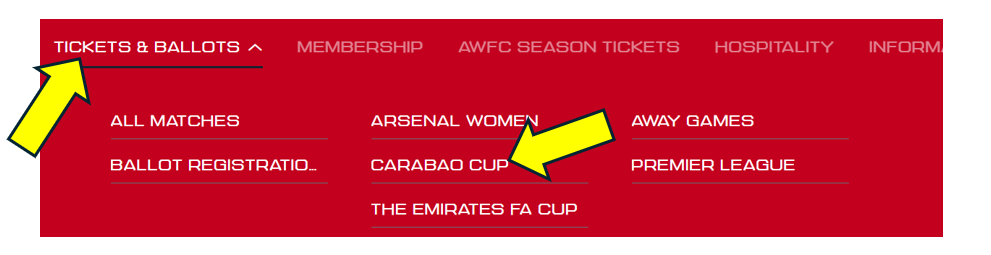
Step 2:
Click Find Tickets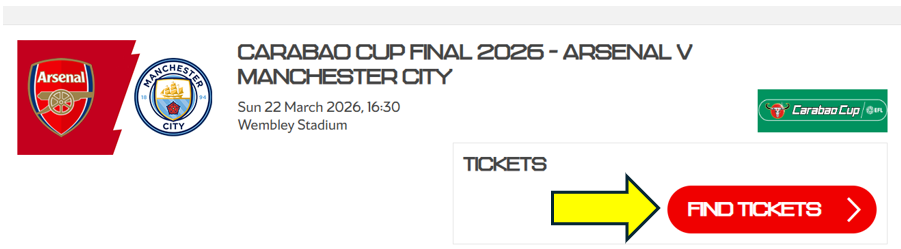
Step 3:
Here you can choose your seat(s) by the map, or you can use the choose by area option.
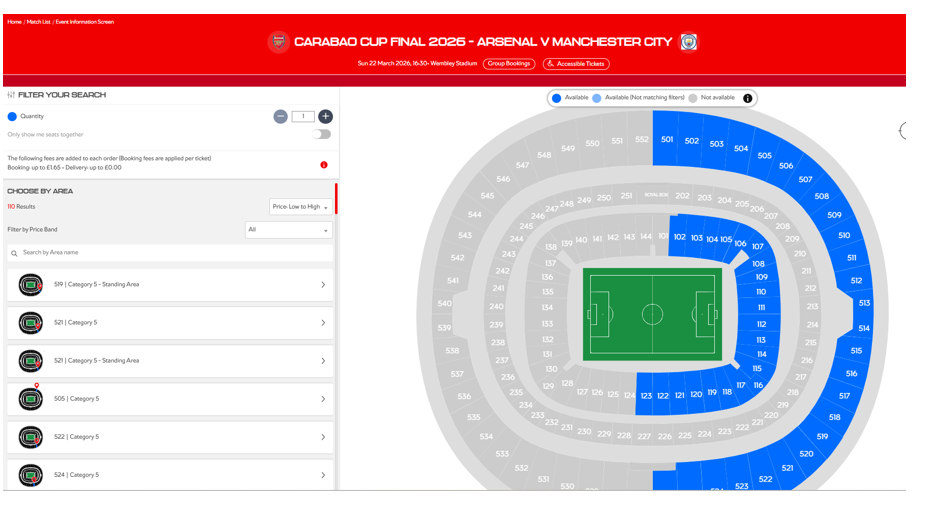
Once you have selected your seats you will then need to choose your price, then click on the basket icon in the right-hand corner.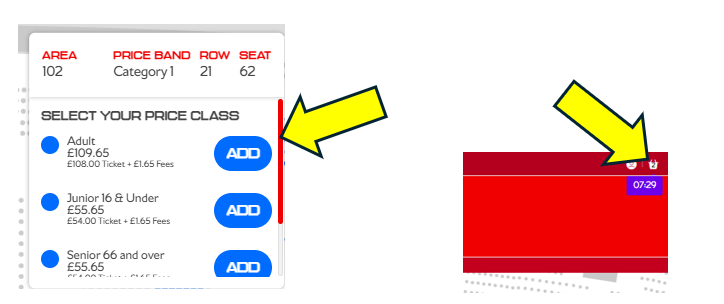
Step 4:
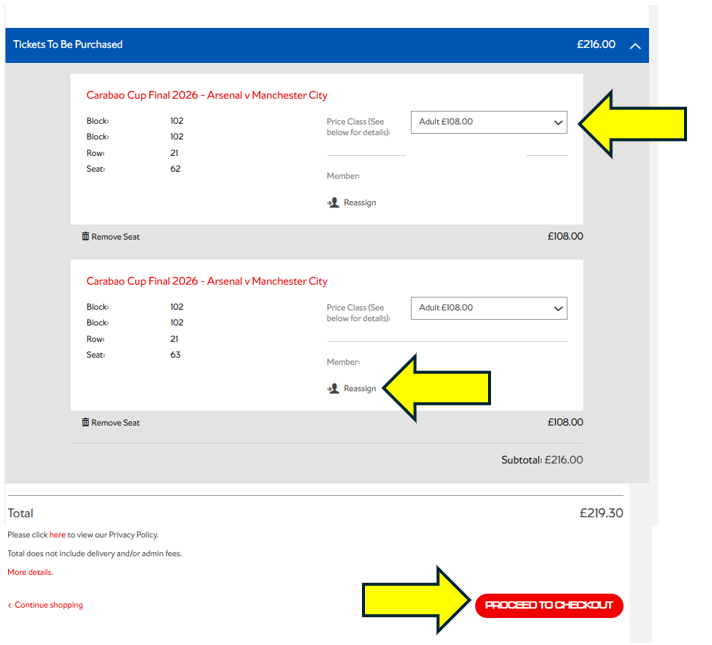
Here you can update the ticket price, reassign the ticket to an eligible member of your network, and then proceed to checkout.
Step 5:
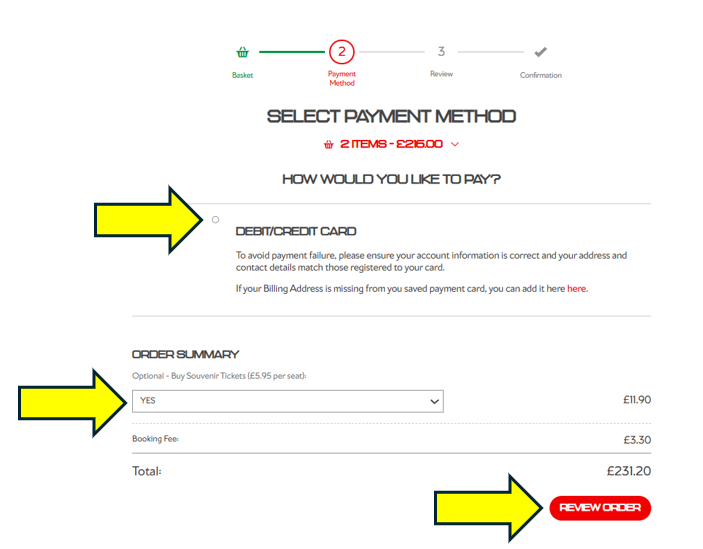
You can now submit your payment details and you have the option to purchase a souvenir ticket.
Souvenir tickets will be dispatched after the game has been played.
You will now be taken to a confirmation page, and a confirmation email will be sent to the lead applicant.
You can also visit your booking history to view your purchase.