
Members who qualify to purchase during sales window 1, your window will open at 1pm on Tuesday, February 10 and close at 1pm on Thursday, February 12.
How do I select my seat?
Please click here to login to the Online Box Office. Then click on the head and shoulders icon in the top right-hand corner.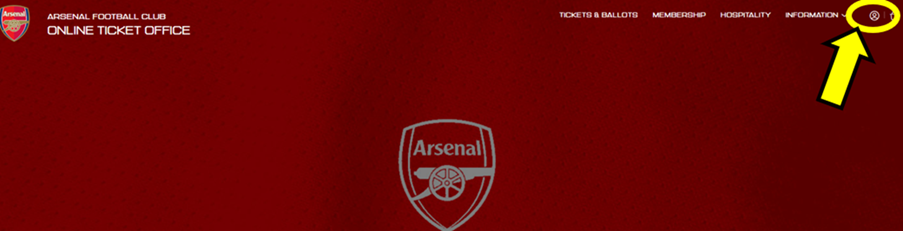
You will now be prompted to sign-in using your email and password. If you have forgotten your password, please request a password reset.
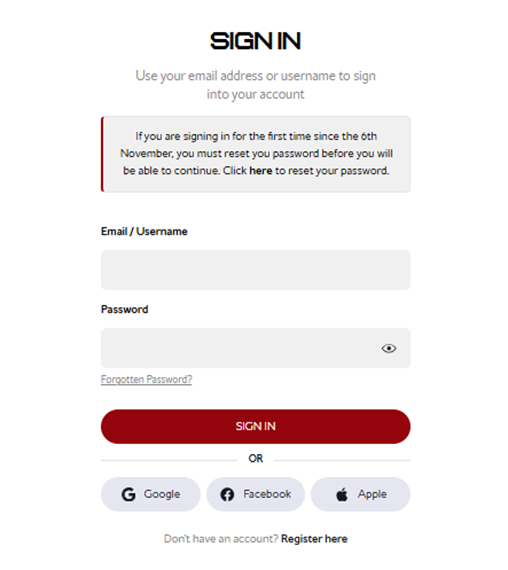
Step 1:
Once logged in, select Tickets & Ballot and then Carabao Cup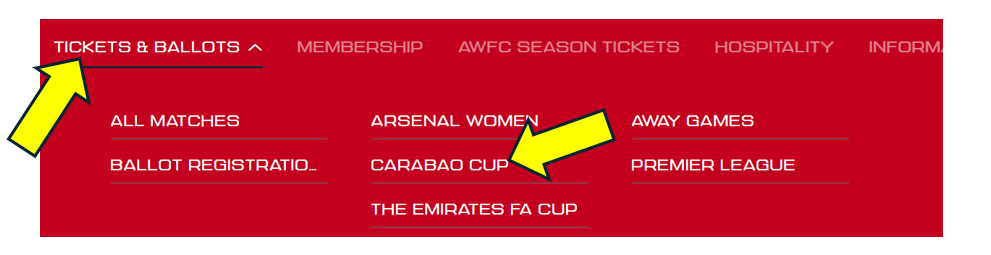
Step 2:
Click Find Tickets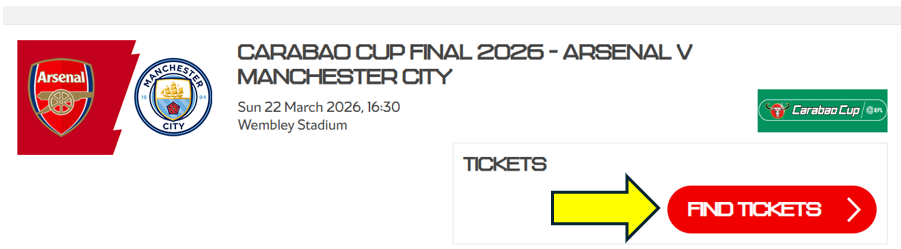
Step 3:
Here you can choose your seat(s) by the map, or you can use the choose by area option.
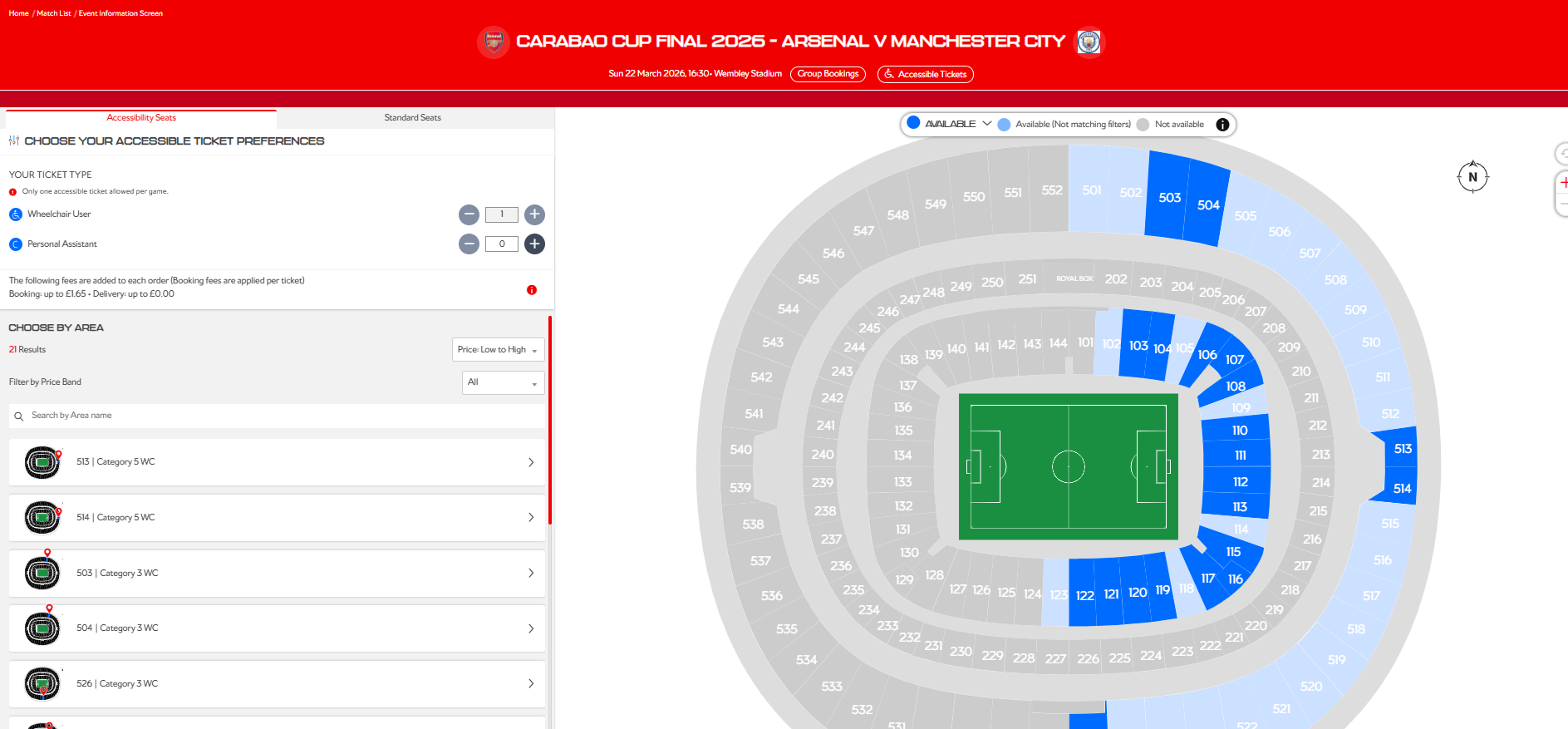
Once you have selected your seats you will then need to choose your price, then click on the basket icon in the right-hand corner.
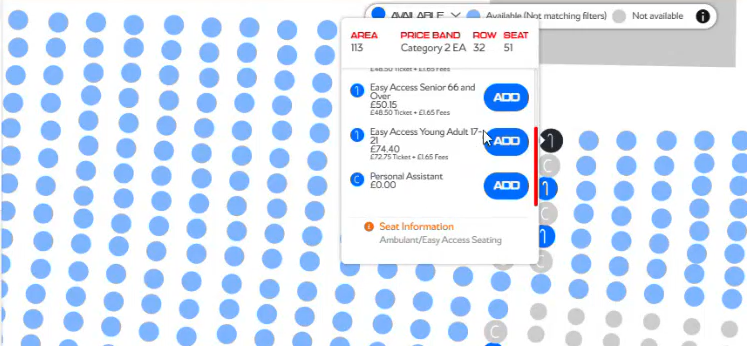
Step 4:
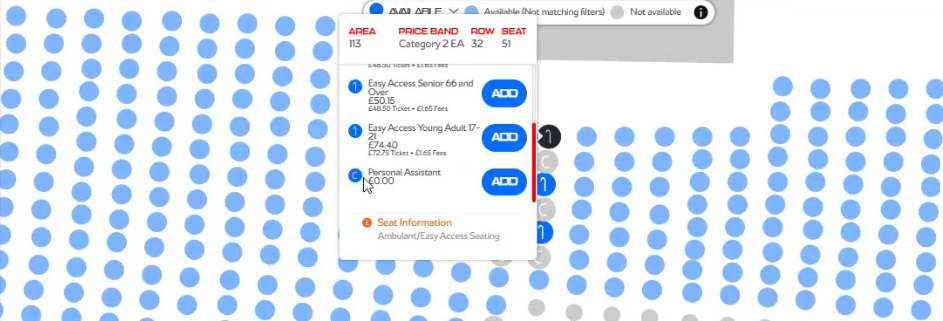
Once you have selected your own seat, please add the accompanying seat to your basket for your Personal Assistant.
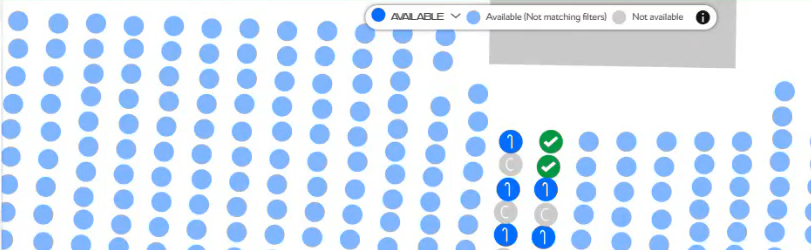
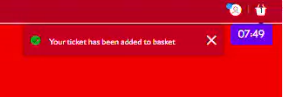
Once both seats are in your basket, a green tick will appear.
Step 5:
Click on your basket in the top right hand corner of the screen to proceed.
Step 6:
Click 'Assign' to reassign your Personal Assistant's ticket to the correct membership number from your Network.
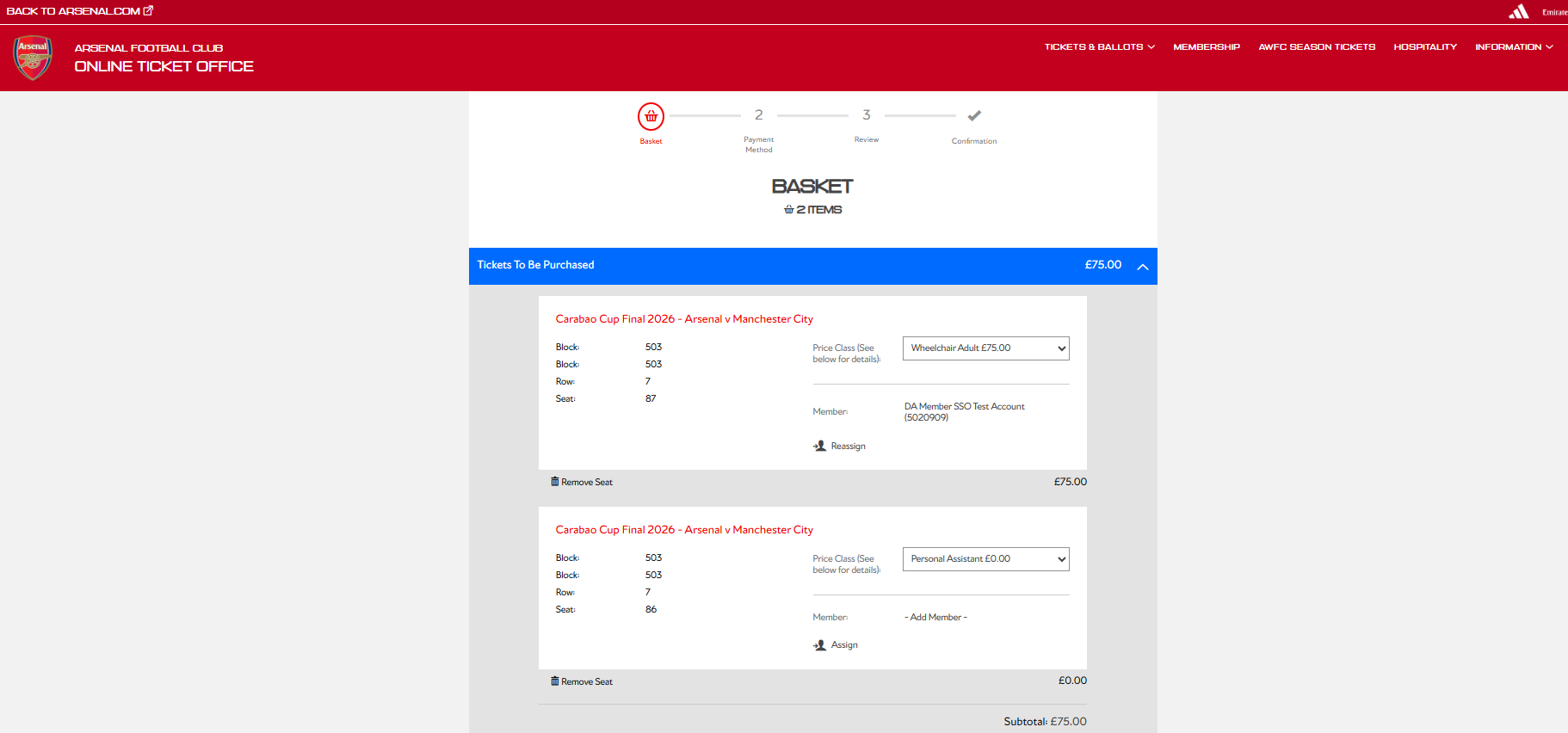
Step 7:
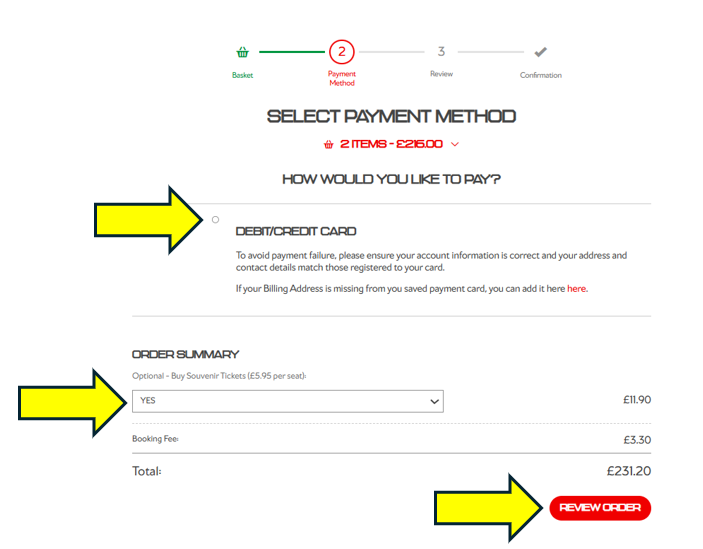
You can now submit your payment details and you have the option to purchase a souvenir ticket.
Souvenir tickets will be dispatched after the game has been played.
 You will now be taken to a confirmation page, and a confirmation email will be sent to the lead applicant.
You can also visit your booking history to view your purchase.