
At this stage you are able to select the number of tickets you wish to apply for (max 6 per member) and allocate them to applicable members from your network.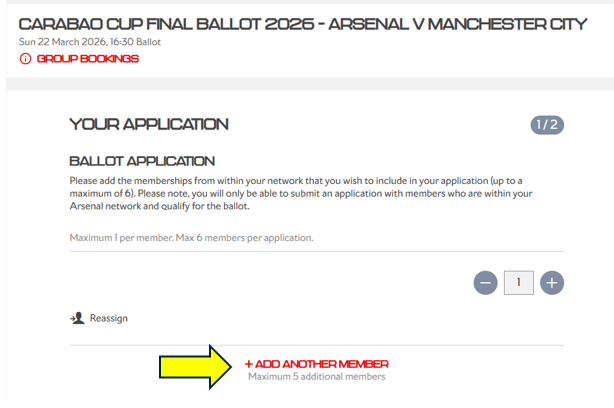 To clarify, the membership number you are currently logged in with will be automatically included on your ballot application. Then, click “Add Another Member” to include any additional memberships in the application
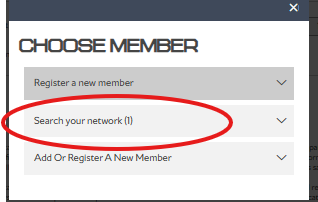
When you select Add Another Member, a pop-up will show all eligible members in your network who can be added to your ballot application.
If a member’s name appears greyed out, this means they do not meet the eligibility criteria to register for the ballot.
