Please note that Window 2 of the women's Seasonal Renewals to choose a new seat or purchase additional seats has been postponed due to a technical issue. We are currently working closely with our ticketing provider to resolve this as quickly as possible.
seasonal supporters will be contacted directly via email with confirmation once the issue has been resolved and the renewal window has reopened.
Step 1: Visit the Arsenal Ticketing Website
Go to: www.eticketing.co.uk/arsenal
Once the website loads, click the Log In button located in the top-right corner of the screen.

Step 2: Log In to Your Account
Enter your:
- Email address
- Password
If you are having any issues logging in then you can reset your password here.
Step 3: Select “AWFC Seasonal”
Click on AWFC Seasonal in the top navigation bar.
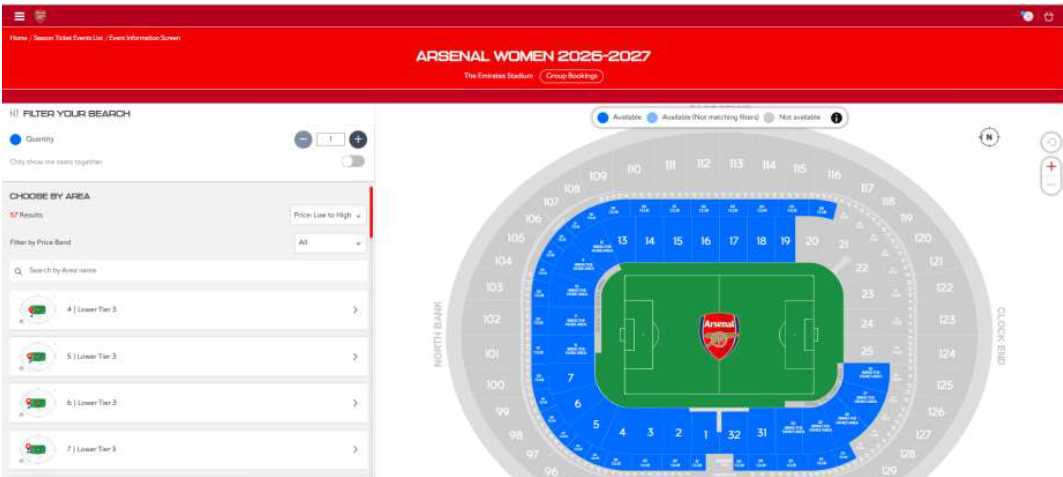
This will automatically take you to the Arsenal Women 2026-27 Emirates Stadium Map for you to choose your seats

Step 4: Choose your seats
Select your seat(s) on the map from the available blocks.
For every ticket you are purchasing, select your Price Class as either a Season Ticket or Six Game Bundle. Select your Price Class from the list: Senior (66+), Adult, Young Adult (18-24) or Junior (U18) Once confirmed, click Add to Basket.
Step 5: Assign your seats in basket
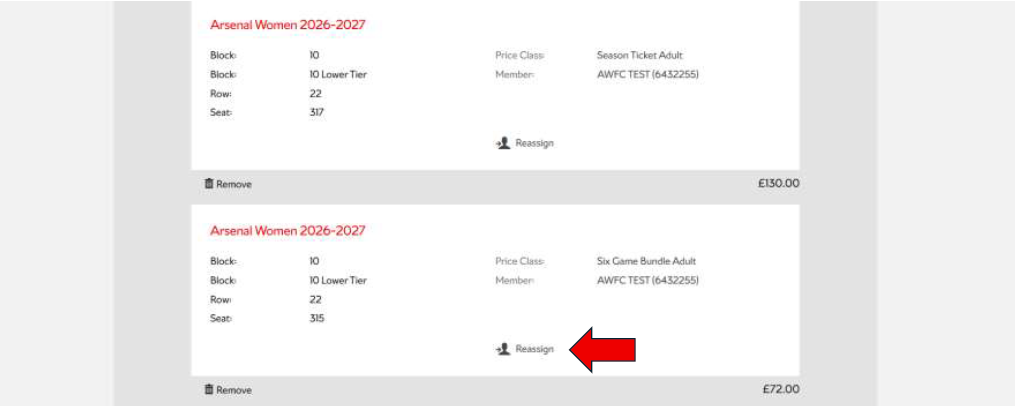
If you have selected more than one Season Ticket or Six Game Bundle, you will need to assign each ticket to a unique membership number. If you do not reassign the seat, then a new membership number will automatically be created for you post check out and listed in your order confirmation email next to each seat.
Click ‘Assign’ and select the supporter from your network to assign the ticket to. If they are not already in your network, click ‘Add and Register a New Member’ and enter their details.
Please ensure that the membership product is assigned to a membership number with a date on birth on the account that aligns with the product. All products are based on the age of the supporter on the 31st of August. For example, if the age on the account is 40 years, you will not be able to purchase a Junior membership.
The account(s) must also not already hold an Arsenal Men’s or Women’s membership as supporters can only hold one Arsenal membership per account. If you do select an account that already holds an Arsenal product then a new account will automatically be created for that seat post checkout.
Step 6: Choose Your Payment Method
You will now have two payment options:
Option 1: Pay in Full
Pay the full balance using:
- Debit card
- Credit card
Option 2: Apply for Finance
Apply for a finance plan to spread the cost of your season ticket through monthly payments.
Follow the on-screen instructions for your chosen payment option.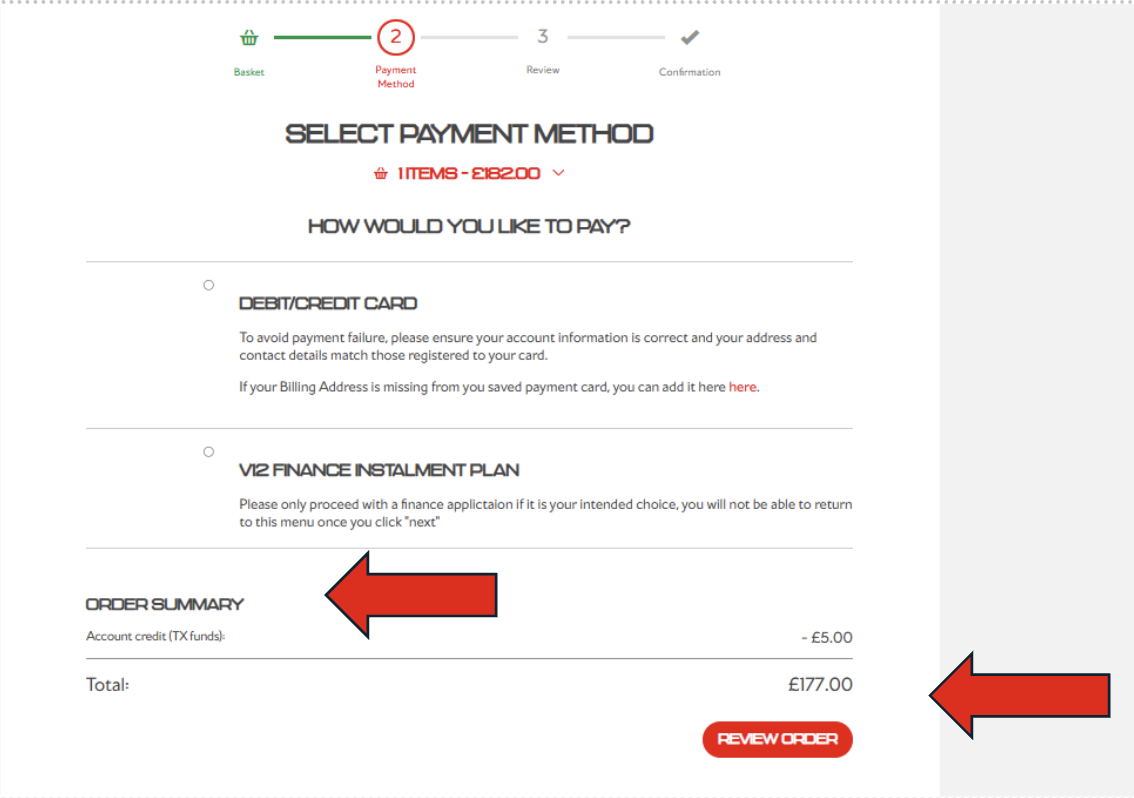
Step 8.1: Pay with Debit/Credit Card
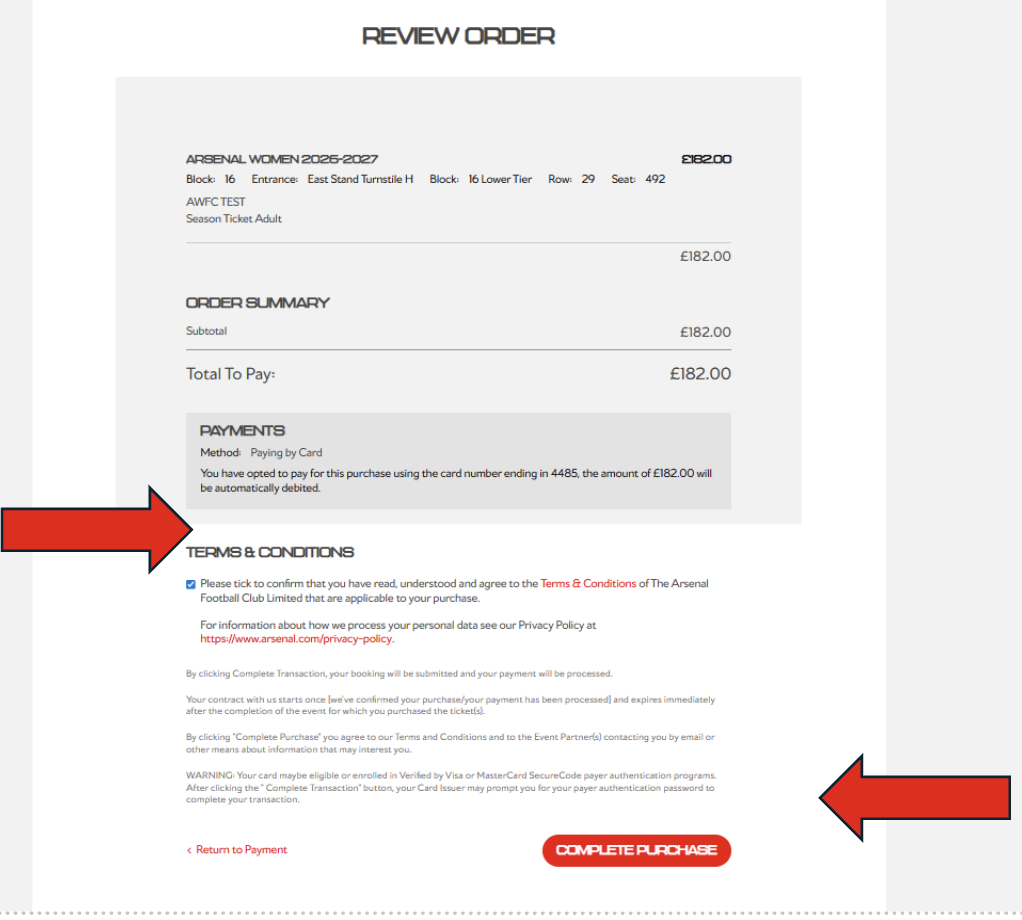
After submitting your payment details, you will be greeted with a final review page.
Carefully check:
- Your season ticket package
- Personal details
- Payment information
Once you are satisfied that all information is correct, you must agree to the Terms & Conditions and then click Complete Purchase to renew your season ticket.