If you are receiving the below message when downloading your pass.
This means that your pass has already been download to a device.
A digital pass can only be downloaded and used on one device at a time.
After you download and activate it on an Apple iPhone or Android device, you cannot transfer or download the same pass onto another device.
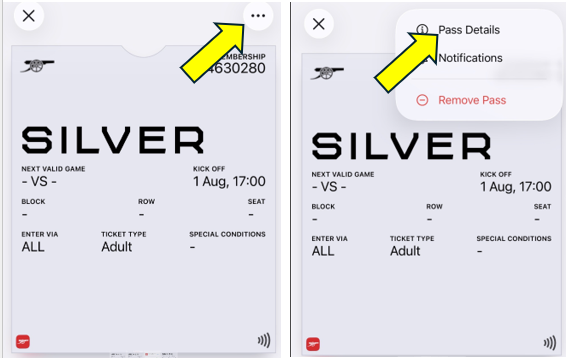
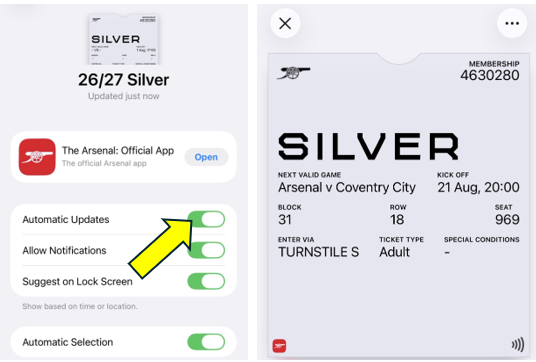
We recommend going to your wallet to locate your pass. If you are unable to locate your pass please check the expired passes section, If your pass appears blank, please follow the steps below to update it and display your ticket information.
- Go to Apple Wallet → your season pass → circle with three dots → Pass Details
- Enable "Automatic Updates"
- Pull down to refresh/update the pass or toggle Automatic Updates off and on