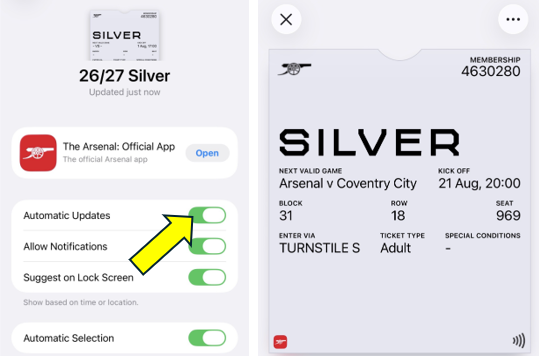
If you are receiving the below message when downloading your pass.

This means that your pass has already been downloaded to a device. Your seasonal pass only needs to be downloaded once and will remain active in your wallet, automatically updating throughout the season.
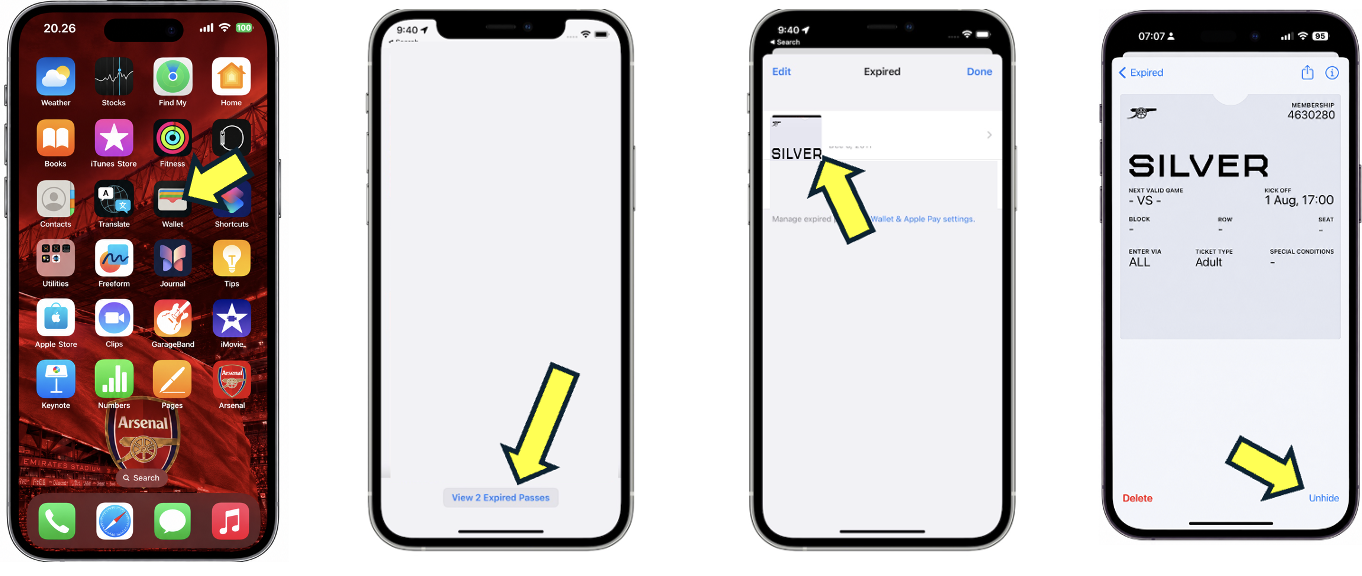
If your pass is not showing in your wallet, we recommend checking the Expired Passes section within your wallet settings, as your pass may have been moved there. If you find your pass, you will need to unhide it to make it visible in your wallet again.
If you are unable to locate your pass, it may be downloaded to another device. Please delete the pass from that device first. Once removed, you can download your pass again through the Ticket Hub onto your preferred device.
Follow the steps below to unhide your pass.
Older iPhone Models
Newer iPhone Models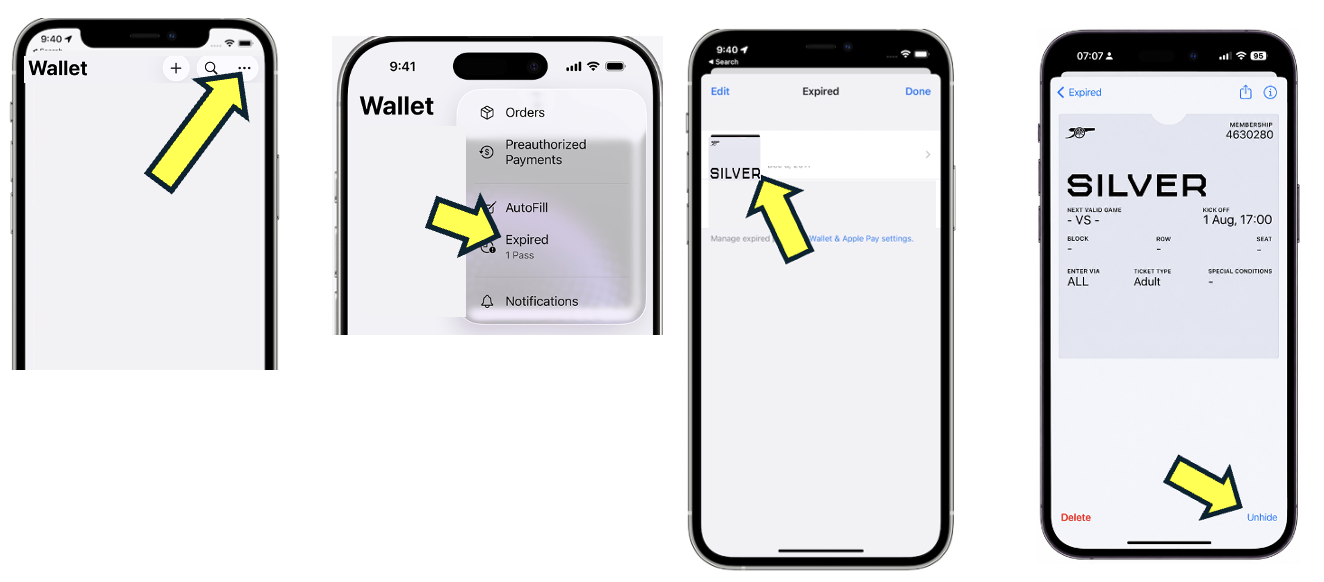
Now that you have unhidden your pass and it is showing in your wallet, you may need to manually update the pass to show your next game
Go to Apple Wallet → your season pass → circle with three dots → Pass Details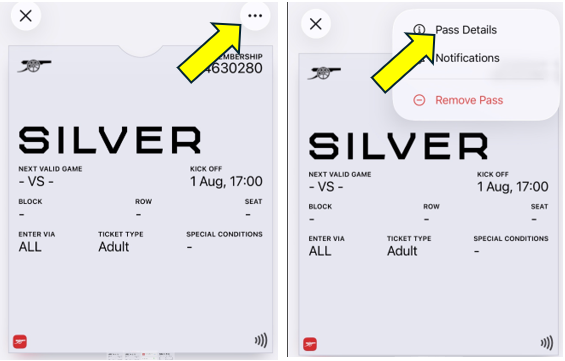
Pull down to refresh/update the pass or toggle Automatic Updates off and on