
How to sell on the Ticket Exchange
If you are unable to attend a game then you can make your ticket available via the Ticket Exchange Service.
Upon a buyer being found and a sale being made, your digital pass will be disabled for the game while the buyer's digital pass will be activated.
Step 1: To access Ticket Exchange, visit www.eticketing.co.uk/arsenal and click the Log In button in the top right-hand side of the screen.
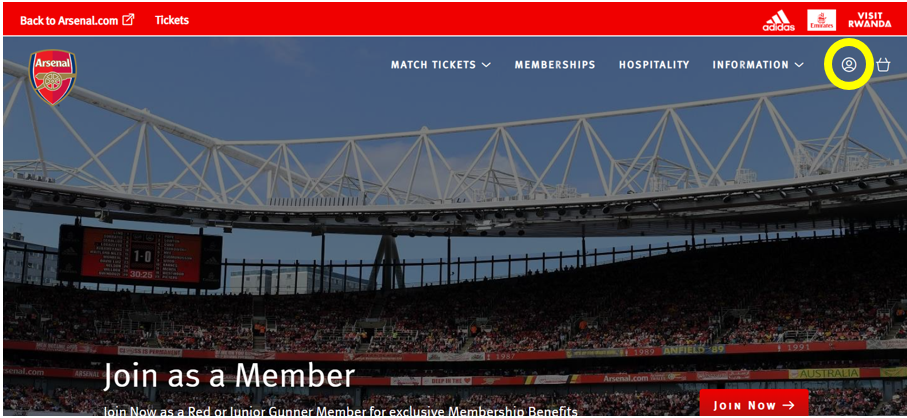
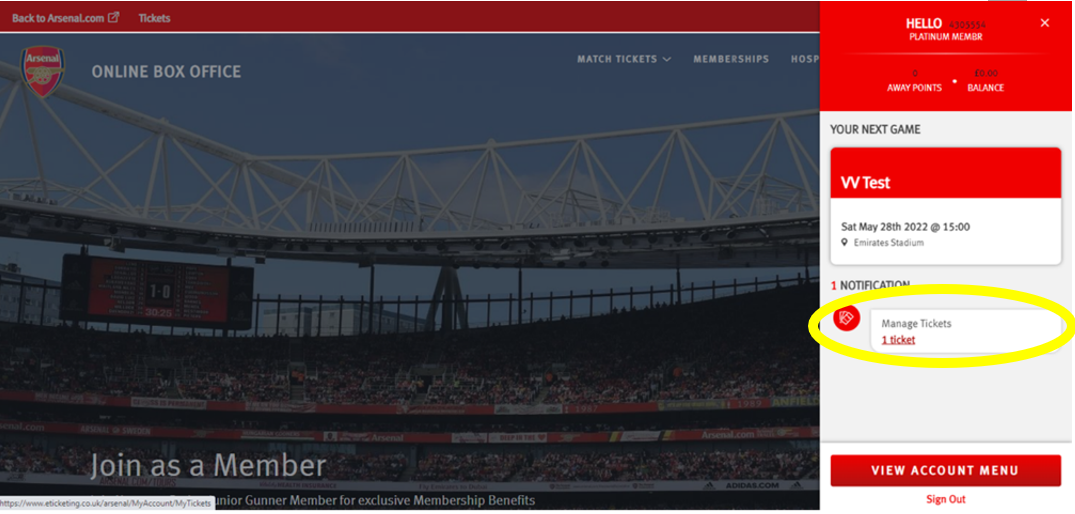
Step 2: Then, click on the head and shoulders icon in the top right-hand corner before clicking ‘Manage Tickets’.
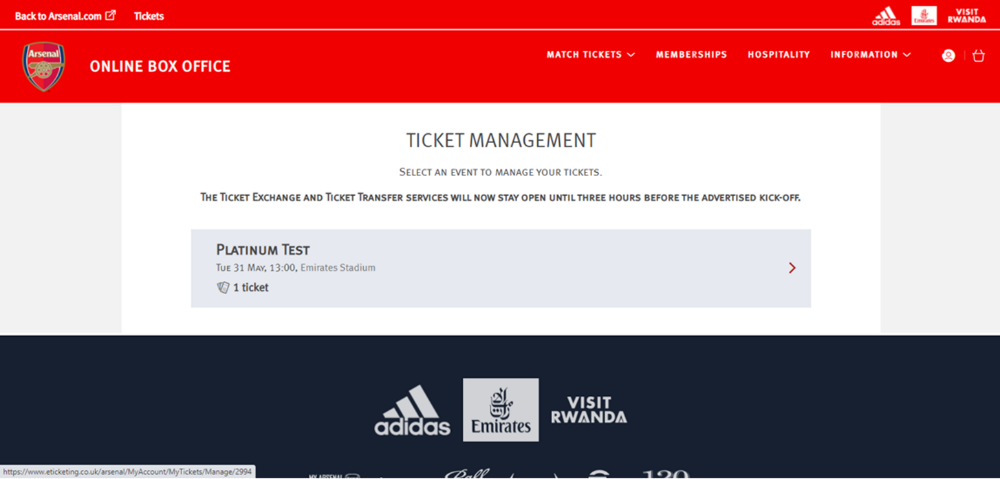
Step 3: The games which can be posted for sale via the Ticket Exchange platform will appear and you will need to select the game you'd like to post your ticket for.
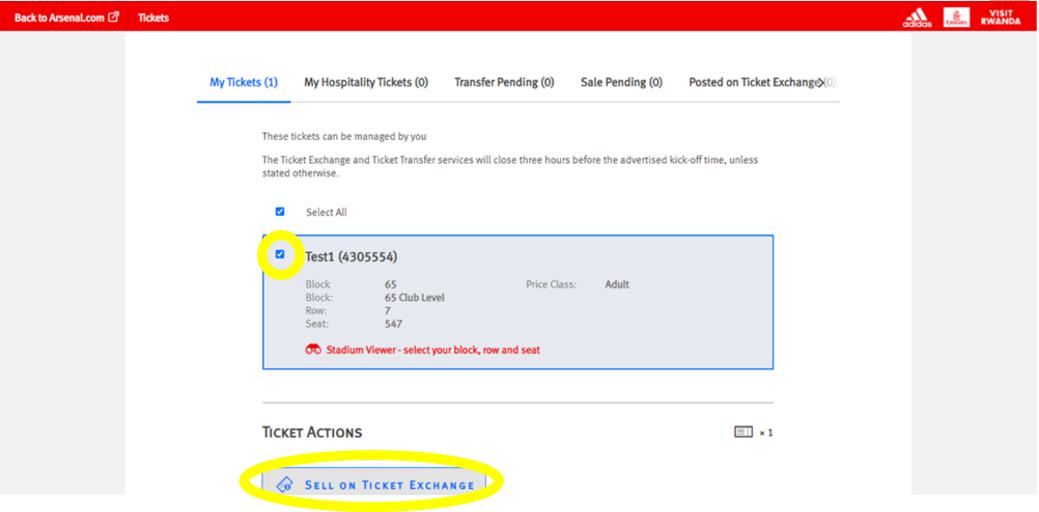
Step 4: Ensure the box is ticked next to the desired seat to post for sale and click on ‘Sell On Ticket Exchange’ under ‘Ticket Actions’.
Step 5: Click ‘Proceed To Payment’ on the following page.
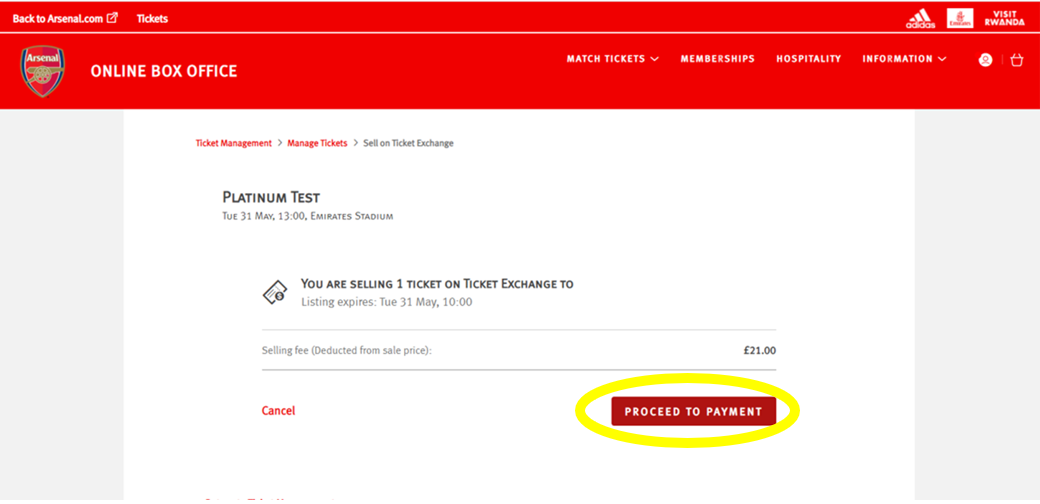
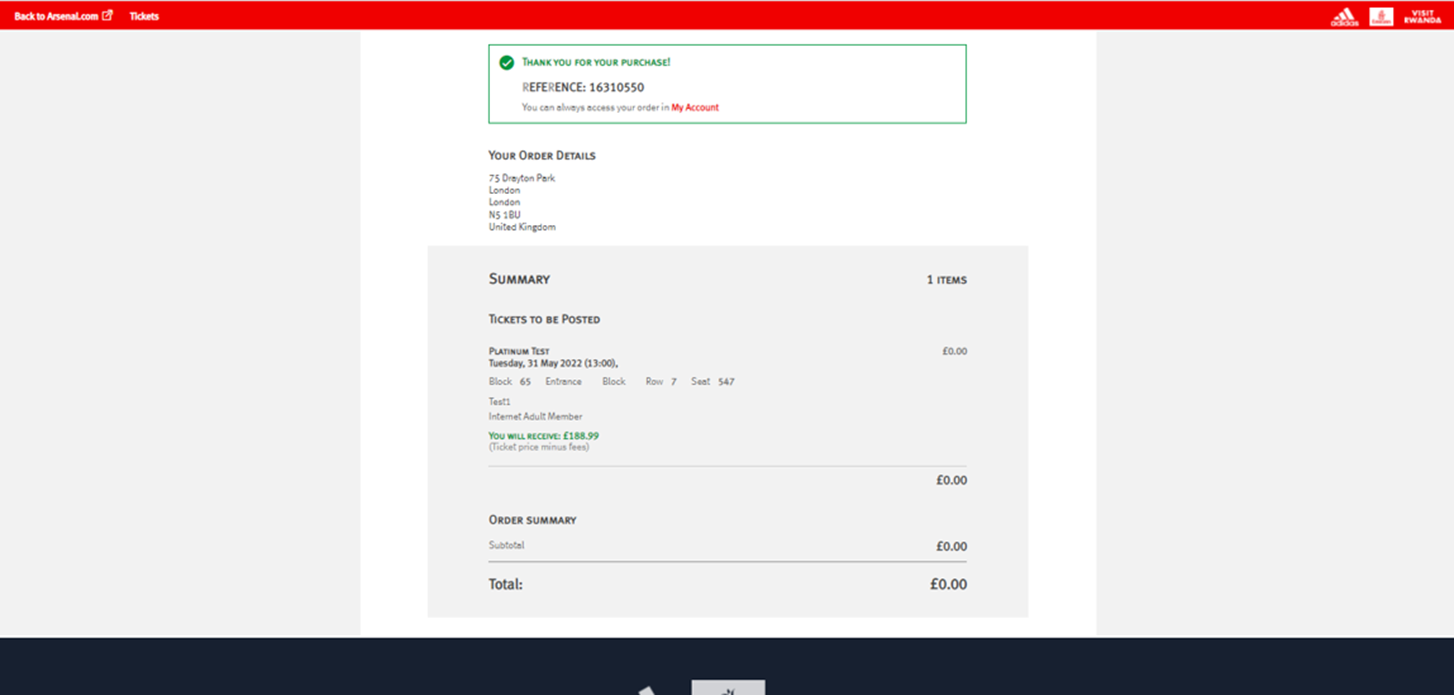
Step 6: You will then see a confirmation screen confirming the Ticket Exchange posting.
Seat Utilisation Policy
If match-by-match members post their ticket on Ticket Exchange on the day of the match, they will only receive their seat utilisation badge if the ticket sells.
If they post their ticket on Ticket Exchange before midnight on the day before the match, they will receive their badge regardless of whether it sells.
I sold my seat on the Ticket Exchange, can I buy another?
I have sold my seat on the Ticket Exchange, how do I receive my funds?
Can I upgrade my ticket to an adult ticket?
By reselling the ticket via the Ticket Exchange, it allows another member who was unsuccessful in the ballot the opportunity to purchase the ticket.
This ensures fairness and gives other fans the chance to enjoy the match.
I am a Disabled Season Ticket holder. Can I use Ticket Exchange?
What happens if my seat posted on the Ticket Exchange does not sell?
If your ticket is not sold by the deadline, then it will no longer be offered for sale through the Ticket Exchange service and you may use the ticket to attend. Please note, posting a ticket for sale through the Ticket Exchange does not guarantee that the ticket will be sold.
Supporters will not be notified by email if their seat does not sell, therefore we strongly recommend that you check the 'Booking History' section of your Online Box Office account for confirmation of whether your ticket has sold.
Can I withdraw my ticket from the Ticket Exchange?
Due to high demand, once your ticket has been posted it is highly likely the ticket will be the process of being purchased by another supporter.
If you attempt to withdraw your ticket from sale and receive an error message then sadly we will be unable to assist with removing the ticket from sale on your behalf.
I am receiving the message Your Browsing Activity Has Been Paused.
If you’re seeing the message below, we recommend switching to a different Wi-Fi network or using your mobile data, as this issue is usually temporary.
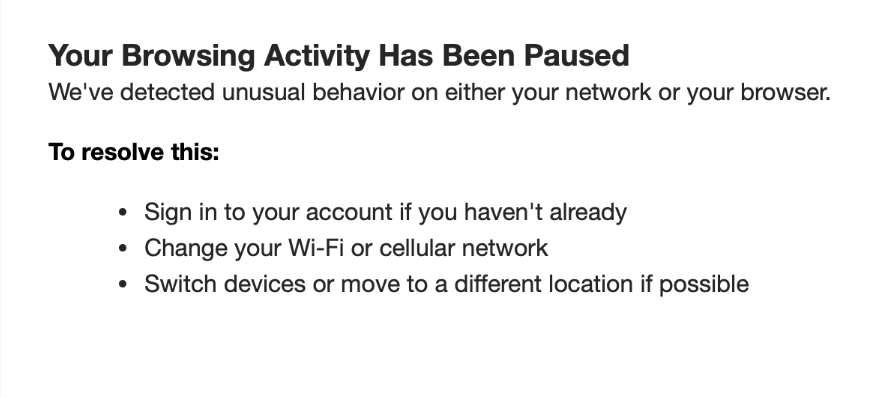
This can be via your phone data to hotspot from or connect through your phone directly without being connected to Wi-Fi.
Please also ensure that you are not using a VPN, and avoid using datacentres, as these will hinder your ability to access the site.
We are working closely with our partners at Ticketmaster to eradicate the use of bot software which prevents genuine supporters from purchasing match tickets. The use of any automated software or computer system to search for, reserve, buy or otherwise obtain Home Match Tickets (including sending information from your computer to another computer where such software or system is active) is strictly prohibited.
Blocked, forbidden or 403 error message
Those errors mean that you've been temporarily blocked from buying tickets because you may have refreshed your browser too frequently. Our system thinks you’re a bot, an automated program trying to scoop up tickets, and we automatically block bots! In most cases, it’s only temporary so try again later.
Cookies and Graphics
Your browser must be set to accept cookies and graphics in order for you to purchase tickets from Ticketmaster because it allows the site to place your ticket information in your computer's temporary memory. View our Cookies and Graphics page for more information.
VPN, Apple Private Relay & Other Proxy Servers
Some online service providers use a device called a proxy server which saves copies of sites on their server rather than connecting users to the Internet or the specific site requested. Using a proxy server might prevent you from purchasing tickets because you need to access our ticketing system directly. Contact your Internet service provider to learn if you’re accessing the Internet by using a proxy server.
Additionally, you may inadvertently trigger an error if your VPN, Apple Private Relay or other software makes it look like you’re using multiple IPs. We recommend clearing your cookies in your web browser, turning off VPNs, Apple Private Relay or other proxy servers.