
If you’re seeing the below error.

It usually means you’ve already downloaded your membership pass for this season.
Please continue using the same digital pass you used at your last game and you should be able to locate this in the wallet app on your smartphone.
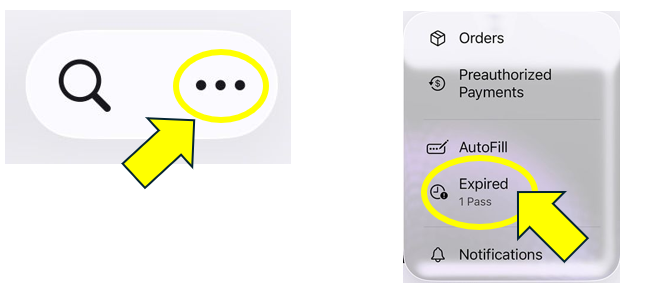
Please check the Expired Passes section in the Wallet app to see whether your pass has ended up there. If it has, you can unhide it and it will return to your active passes.
• Open your Apple Wallet App
• Click on the 3 dots in the corner and select Expired
• Select your Season Ticket and tap 'Unhide'
• Return to the main Wallet screen
If you need to manually update the pass once located, please click on the link below.
Update my pass.