
Become a Member
To enter a ticket ballot, you must have a valid Arsenal membership. Each membership is eligible for one ballot entry and, if successful, one ticket per membership.
Adult supporters can purchase a Red Membership, while supporters aged 4–16 can purchase a Junior Gunner Membership, both of which provide eligibility to enter ballots for home fixtures.
More information on membership options can be found here.
Add Other Members to your network
My Network is a feature within your online ticketing account that enables you to connect with friends and family. This allows you to manage tickets together, purchase seats as a group, and register for ballots.
Please follow the steps below to add a member to your network
Step 1:
To activate your membership, visit www.eticketing.co.uk/arsenal and click the Log In button in the top right-hand side of the screen.
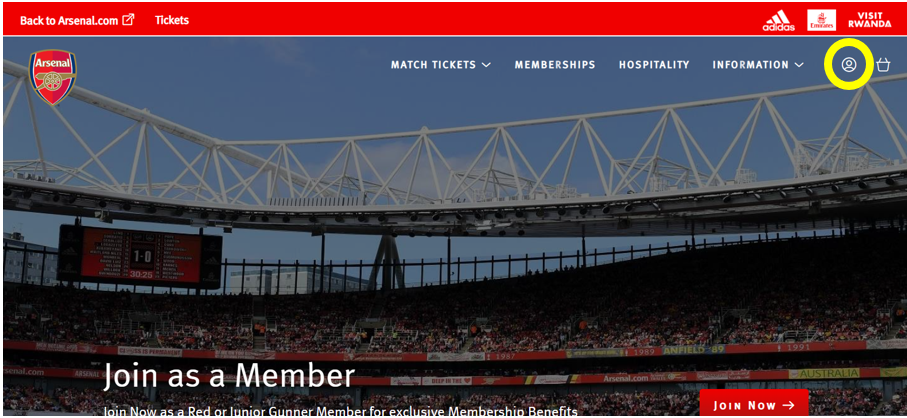
Step 2:
Then, click the head and shoulders icon again to access account information and click on ‘View Account Menu’.
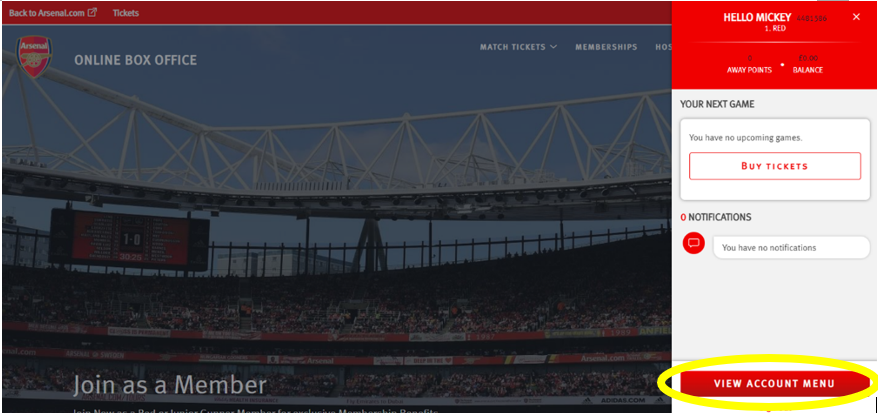
Step 3:
Click on ‘Account Management’ and then ‘Network’.
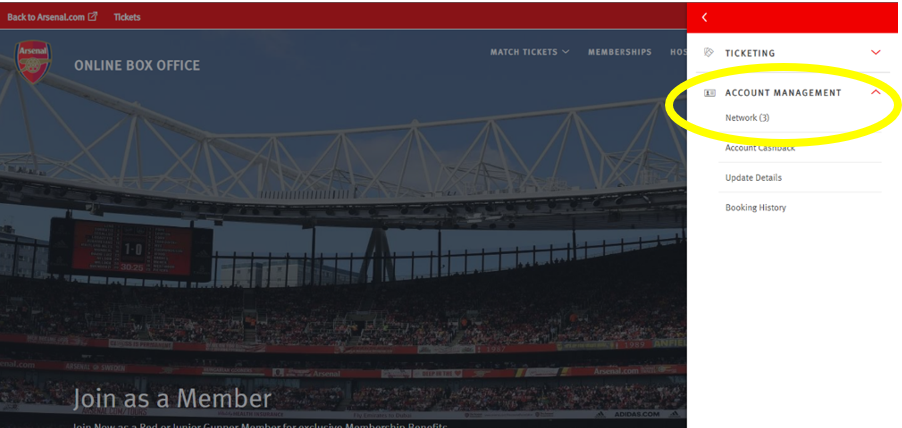
Step 4:
To add someone to your Network, click on ‘Add Members’.
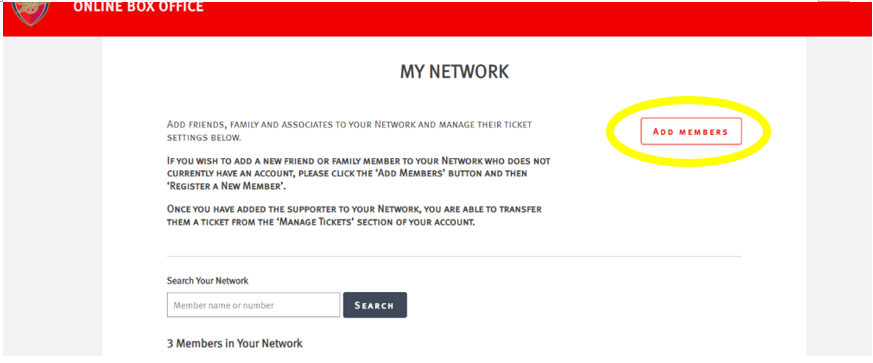
Step 5:
Type in the Membership Number and Surname of the Member wishing to be added to the Network.
**please ensure there is no space after the surname or membership number as this will prevent the system locating the member**
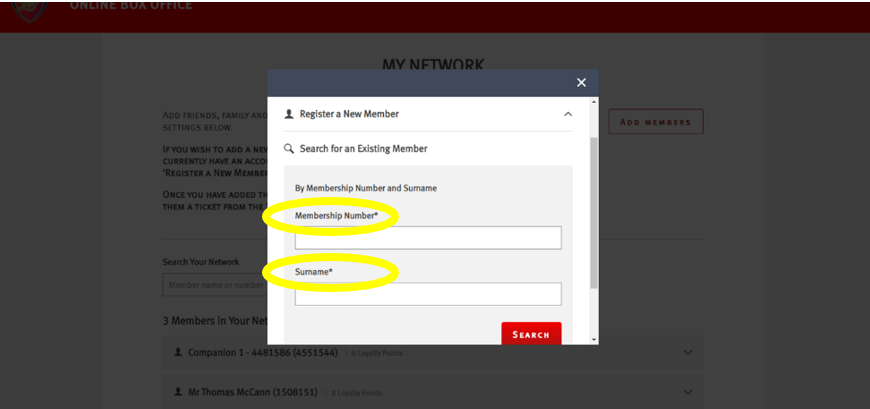
Step 6:
Once the Member is found, click on ‘Add Member’.
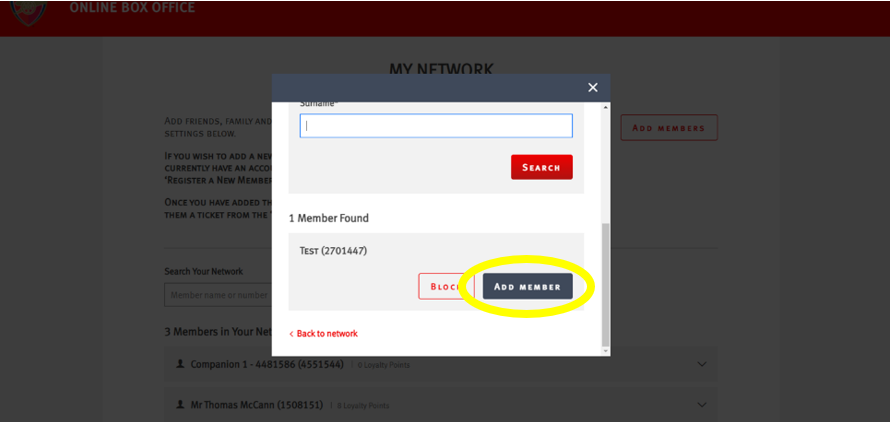
Step 7:
You should see a confirmation page, which shows the ‘Member Added’ messaging.
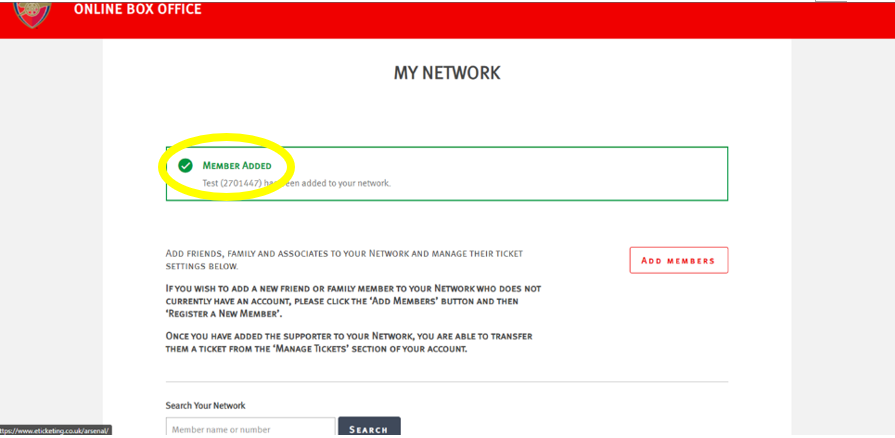
Wait for the Ballot to Open
Ballots for Premier League home matches typically open approximately 4–6 weeks before the fixture. Arsenal publishes ballot opening and closing dates for each match on its official ticketing platform.
Ticketing information can be found on the Arsenal website here. You can also sync ballot dates and times to your calendar by clicking here.
You can also receive notifications via the Arsenal app. Please see below.
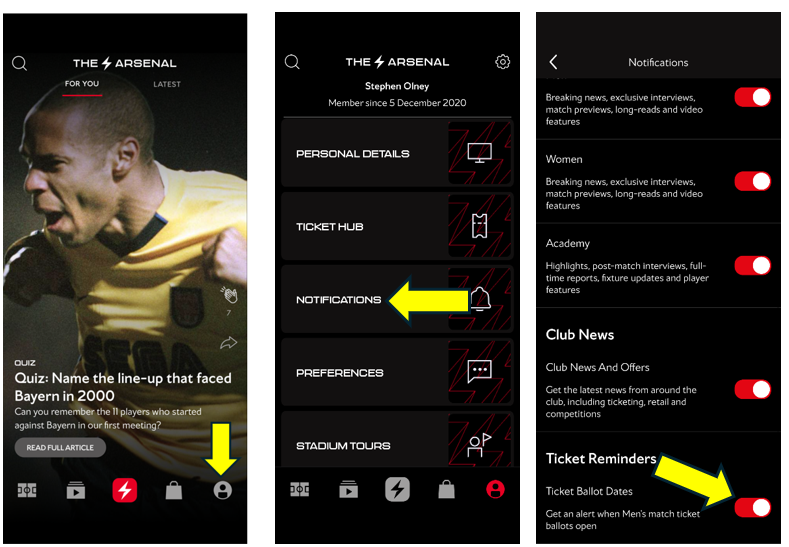
Submit Your Ballot Application
A step by step guide on how to register for the ballot can be found here.
Await the Ballot Outcome
Please keep an eye on our ticketing page here for updates, as this is where we publish the payment processing dates for ballot applications for each fixture.
We recommend ensuring that sufficient funds are available in your account on the relevant payment date. In some cases, your bank may require you to authorise the transaction, which is typically done through your banking app.
If your payment is declined for any reason, unfortunately your ballot application will be considered unsuccessful.
Successful in the Ballot
Please allow up to 72 hours after a successful outcome for your tickets to become available for download.
Members who apply for the ballot as a group will be processed together, meaning the entire group will either be successful or unsuccessful. Partial outcomes are not possible, so one member of a group cannot be successful while another is unsuccessful.
Unsuccessful in the Ballot
Eligible unsuccessful members will then have the opportunity to purchase tickets during their designated sales window, following data checks to ensure fair access for genuine members.
Once the Silver ballot has concluded unsuccessful Silver Members will gain priority access to the Ticket Exchange.
Once the Red ballot has also concluded, all unsuccessful members will have access to Ticket Exchange.
The ticket exchange will close 3 hours prior to kick off.